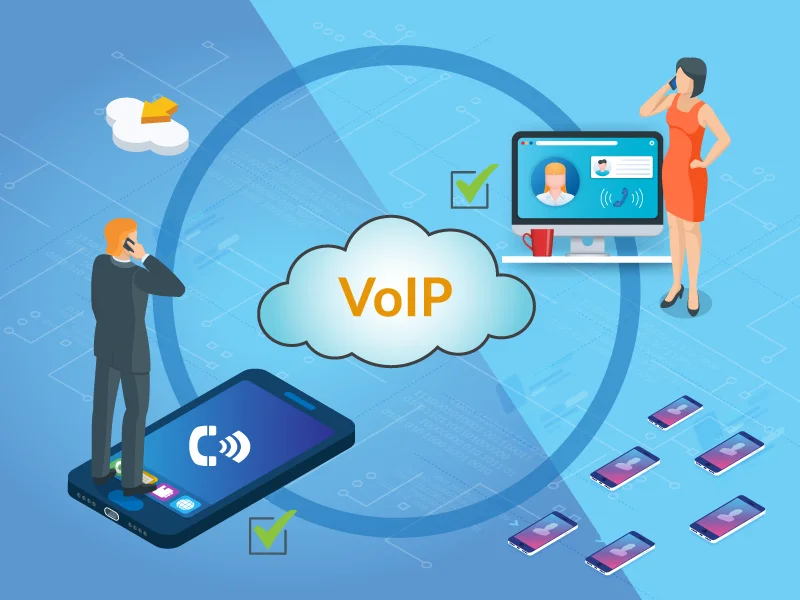
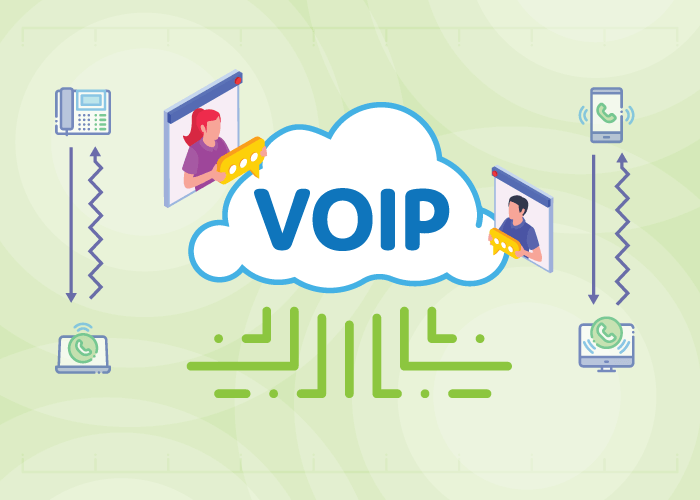
Gone are the days of using an outdated and expensive phone service to make international calls. There’s a better way to call your customer overseas. VoIP offers a more reliable and feature-rich solution with cost-savings along the way.
The technology has been around for years. But in the past, you needed a level of technical knowledge to use VoIP. But nowadays, making international calls with VoIP is easier than ever.
Throughout its early history, VoIP was also primarily used by residential users and people in developing countries that wanted to call overseas. But in the last few decades, more and more businesses have started using VoIP for business calling.
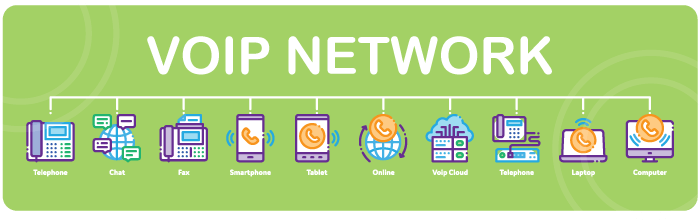
With a fast and easy setup, you can use this solution across multiple devices. As long as you have a stable internet connection and sufficient bandwidth, you can make high-quality international calls through VoIP.
Benefits of Calling Internationally with VoIP
So, why should you use VoIP for international business calling?
• High-quality calls When making business calls, call quality is of the utmost importance. The best VoIP providers will ensure excellent call quality when making international calls.
• Two-way calling and local caller ID Our VoIP solution enables you to call internationally with a local number. This means that your team can make calls to anywhere in the world and show a local number that corresponds to the country they’re calling. This will improve connection rates and leave a callback number if the call is missed.
• Portability Whether your agents work from a central office, overseas, or remotely, they’ll be able to make international calls with your VoIP service. And to add to that, agents can make calls on the go using multiple devices.
• Reliability Provided you have the right setup in place, VoIP is very reliable. Many providers guarantee upwards of 99.9% availability, and some providers even boast zero downtime.
If something goes wrong, issues with VoIP are easier to troubleshoot than with an on-premises system.
• Affordability and cost-savings Affordability is one of the major benefits of using VoIP to call internationally. Because calls are delivered over an internet connection, calls are cheaper than traditional PSTN calls. This cost-savings is passed from provider to customer.
• Scalability VoIP allows you to add and remove lines and users as needed. Don’t worry if the global ambitions of your business slow down. You can just pause the VoIP service and pick it back up when ready.
In addition to the benefits above, installation and maintenance costs are traditionally lower when using VoIP compared to traditional on-premises phone systems.
To make international calls using VoIP, you must enter a plus sign or dial-out prefix, the country code, and the phone number you want to call.
For example, if you want to call a phone number in the United States from overseas, you would enter + 1 and then the subscriber number you want to reach. Make sure to include the subscriber’s area code.
It’s that simple. You can do it using an IP phone, computer, or app on your mobile phone. In today’s day and age, the user experience is quite seamless.
Are International Calls Free With VoIP?
International VoIP calls are not free — the charge depends on the countries involved. However, using VoIP for international calling is typically far cheaper than using a traditional phone service.
As you probably know, traditional phone service providers can charge an arm and leg for international calling. So, if you want to make cheap international calls, VoIP is the best way to do that.
In fact, VoIP providers can be up to 90% more cost-effective than traditional phone service providers for international calling. For many countries, international VoIP calls can cost as little as 2 cents per minute.
But it depends on your provider, the package you choose, and the countries you call.
What is the Best VoIP Provider for International Calls?
If you’re looking for a VoIP provider to use for your international calling needs, there are a few factors to evaluate. While you’ll find many different providers in the market, not all of them provide the same services. So, you’ll need to consider the specific needs of your business and make an informed decision.
Similarly, when it comes to international calling, not all VoIP providers use the same termination and routes to deliver calls. Some providers will try to cut costs and use low-quality routes.
Here at United World Telecom, we use only the highest quality routes to deliver international calls. In addition, we have a state-of-the-art global telecom network with multiple layers of redundancy.
To get started, all you need to do is sign up through our website. Our 24/7 tech support team and account teams will help you every step of the way.
You might have started your business with local ambitions, but the Internet has created many opportunities for global expansion. At some point, depending on the nature of your business, you’ll want to tap into those opportunities and expand overseas.
While there are different ways to expand internationally, there will come a time when your business must communicate with clients and prospects over the phone.
If your sales and support operations are centralized, and your agents are making international calls from a regional office or global HQ, those calls might not get answered. But you can improve connection rates by showing a local number and caller ID when calling internationally.
This guide will show you how to make international calls with a local number and the associated benefits.
Benefits of Using a Local Phone Number to Call Internationally
Businesses can reap numerous benefits when calling internationally with a local number.
Basically, this concept means that your agents can show a local number that corresponds with the country they’re calling. For example, if your sales reps are sitting in the UK but making calls to France, they can still show a local +33 France phone number as their caller ID, rather than a +44 UK number.
Here are 7 benefits associated with making international calls using a local in-country caller ID:
1. Increase Connection Rates
People are more likely to answer calls from a familiar local phone number that they recognize.
Think about it — when you receive an incoming call from a foreign number that you don’t recognize, how likely are you to answer? You’ll probably ignore the call or send it to voicemail.
When your sales reps call internationally with a local caller ID, prospects are much more likely to answer the phone. You can boost connection rates and improve the ROI on salespeoples’ activities.
2. Give a Number to Receive Return Calls
When you use a dedicated local caller ID and phone number to call internationally, prospects and customers can reach you back at the same number. This means if your salespeople are calling prospects and one of those prospects doesn’t answer, that prospect can still return the call locally.
Your business can also customize how incoming calls are handled. This means that calls can either be routed directly back to the rep making the call, to a sales group, to an auto-attendant, or even to a voicemail.
3. Establish a Local Virtual Presence
International virtual numbers allow companies to establish a local presence in other countries. For example, the business could be situated in the United States, but still achieve a local presence throughout LatAm and EMEA using virtual numbers.
Clients feel more comfortable dealing with a local company. Thus, when they receive calls from a business with a local presence, they’re more likely to feel at ease.
What’s best is they don’t necessarily have to know your business is located in another country!
4. Eliminate the Need to Manage Contracts with Multiple Local Operators
While it’s possible to procure global phone numbers for your various offices and locations through multiple local operators, this is not the most efficient route. Managing contracts and services with different operators can be painstaking.
You’ll spend unnecessary time renewing contracts and managing service lines across different portals; not to mention, dealing with various levels of service quality.
We allow you to procure phone numbers from multiple countries to call internationally and manage your service in a single place.
One way to make international calls with a local caller ID is to set up physical offices in other countries. But this involves various hurdles like registering your business locally, local hiring, leasing office space, etc. These cost money and take time.
However, you can still have a local business presence without having employees and local office spaces, thanks to international phone numbers.
6. Build Local Trust and Loyalty
Consumers oftentimes trust local businesses over international ones. By making calls with a local caller ID, you encourage clients to trust and do business with you. Build trust with new markets by using local phone numbers for your outbound calling efforts.
7. Serve Multiple Locations from a Single Office
Rather than setting up multiple offices for the same purpose, situate your sales and support reps in a central location. They can serve multiple locations by changing their caller ID depending on where they’re calling. This improves ROI on agents’ performance and lets businesses do more with less.
How to Make International Calls with a Local Caller ID
Provided you have international dialing capabilities with your service provider, the process of making an international call is quite simple. You just need to dial the + sign, followed by the country code, and the subscriber number.
If you don’t have international calling enabled through your service provider, you’ll need to sign up for a calling service that allows international dialing. However, by doing so, you will not necessarily be able to show a local in-country caller ID. Your caller ID will likely display your subscriber number.
But still, you can achieve this in two ways. The first, more limited option, is by getting a local SIM card.
Not flexible – you can’t change your caller ID depending on where you’re calling.
Need to install a physical SIM card in your phone.
Expensive compared to a cloud phone service.
The second option is to use a local international calling solution like the one offered by United World Telecom. We allow you to easily buy local phone numbers to manage both incoming and outgoing calls.
In essence, you make international calls with our services and show a local caller ID corresponding to the country or region you’re calling.
Once subscribed, follow these steps to show a local caller ID when calling internationally:
1. Add a local or national phone number in the country you’ll be calling, along with an outbound calling plan. Local numbers start at just $7.95 per month and outbound calling plans start at $25.
2. Sign in to your dialer or softphone. In this example, we’ll be showing you how to call internationally using our proprietary dialer.
3. Click on settings and then choose the caller ID corresponding to the local phone number you would like to use for your international outbound calls.
4. Using E.164 format, dial the destination number that you would like to call.
It’s really quite simple and you can set it up in just a few minutes.
More About United World Telecom
We have been providing international calling solutions since 1996. Thousands of clients rely on our solutions to receive and make international calls with local phone numbers.
To get started, reach out to us 24/7 or sign up online.
Your business phone communication system can make or break your sales and customer support efforts. More specifically, a bad phone system can lead to miscommunication and ineffective communication which can result in a loss of valuable customers and leads. Here we look at 5 signs that scream “Your business needs a new business phone system!”
When to Start Looking for a New Business Phone System?
Since so much of your business’ success depends on good communication, it is important to find the right business phone service. Here are 5 signs you need a new business phone system. In other words, consider getting a new phone system if your current office communication system has any of the following:
1. Bad Pricing and Low Reliability
Are you struggling with paying the bill for your current phone system? Is the pricing not straightforward, leading to confusion and paying more than you originally signed up for? Your business phone system provider should be reliable and trustworthy. And you should be able to predict your monthly bill without any surprises for better accounting.
Switch to a business phone service provider that helps you understand what to expect from your monthly bill. As you sign up, you should have a clear idea of what you are paying for. This means no hidden fees or set-up/installation fees that just turn up out of nowhere. With a predictable monthly bill, your business can manage its communication-related finances better.
With the advancements in telecommunications and technology available, businesses now have access to many opportunities and top-notch services and features. And so, if your current phone system is offering you the bare minimum, then you are missing out.
Advanced services such as global call forwarding, call recording, a variety of virtual numbers, and so on, can help with effective call management by providing your business with the right communication tools. These services can improve productivity and efficiency in your office which will lead to better customer service and more sales.
3. No International Call Forwarding
Any business with a goal for expanding globally must have international call forwarding. An international call forwarding service enables businesses to connect easily with their global customers. With this service, you can have incoming calls from different countries route to a destination of your choice. For example, your US-based company can receive international calls from customers in the UK, Asia, Australia, and more via virtual phone numbers. These calls are forwarded to your main office in the US or remote offices around the world via international call forwarding.
As such, call forwarding helps businesses maintain global connectivity by providing customers around the world with inexpensive ways to call for product inquiries or customer support. Even if your business is located outside the country, customers can call your local or toll free number and evade long-distance calling rates. This encourages customer calls and builds trust and credibility for your international business.
4. Limited Customer Support
Customer support is an essential tool for any business. And so, if you cannot reach customer service for help with your business phone system, especially during emergencies, then again, you stand a chance of losing out on customers. Unreachable or bad customer service can break a company.
Look for a business phone service provider that is available 24/7 and offers multichannel support. For example, United World Telecom offers 24/7 customer support via voice, live chat, email, and support tickets. We also have an online knowledge base with self-service information.
5. Long-Terms Contracts
Lastly, you want a business phone system that does not force you into long-term contracts. In case things change within your business, you should be able to scale up or down or switch to new services. A provider that locks you in with contracts or high cancellation fees can make it difficult to grow your business.
Why Should You Consider United World Telecom?
Since 1996, United World Telecom has been providing businesses around the world with cloud phone systems and virtual communication tools to boost sales, customer support, and international business. Advanced services and features we offer include:
International call forwarding
Outbound calling with customizable caller ID
Hosted call recording
Cloud IVR
Extensions and DID numbers, and more
United World Telecom’s plans are straightforward with no hidden fees or long-term contracts. We don’t force our customers into commitments as we know our service will speak for itself. We offer five different plans for businesses of every size and type; so you can choose the plan that works best for your communication needs.
Get a New Business Phone System Today!
We offer a variety of services that can help you create the ideal cloud phone system for your specific company. Get a VoIP business phone system today by calling us for more information or by signing up on our homepage!
At this point in time, most businesses are using business VoIP to create strong, reliable, and efficient business phone systems. Voice over IP technology has made it possible to make and answer calls via the internet instead of depending on physical phone lines. And by doing so, users can stay connected from any location and any device. So, why should you get business VoIP for your company?
Top 7 Advantages of Getting Business VoIP
From encouraging global expansion to providing easy scalability, VoIP technology gives businesses an opportunity to expand and grow with ease. If you are on the fence and are not sure about how VoIP can be useful to your company, here are 7 benefits to consider.
1. Variety of Business Numbers
VoIP phone systems work alongside voice over IP numbers. VoIP providers like United World Telecom aim to offer companies a variety of business phone number types. For instance, United World Telecom offers numbers for more than 160 countries around the world. Additionally, we offer toll free, local, international toll free, universal toll free, national, and vanity numbers.
Want to enter local markets and encourage locals to connect with your business? Buy a local phone number. Want to offer free calling to customers within your target country? Get a toll free number. Want to attract public attention with a memorable and creative number? Get a vanity number. You can get a business number that suits your purposes in a target country and lets you expand your customer base.
2. International Call Forwarding
International call forwarding is a popular service of VoIP phone systems. With this service, you can have calls forwarded internationally from one country to another without paying high international calling fees. For example, your customers in Mexico can call your Mexico number for free or at local calling rates. And these calls are routed via international call forwarding to your main office in the US, the UK, Australia, or wherever you desire. You can even have calls forwarded to a satellite office or remote workers.
With call forwarding, you can manage your incoming calls better and make your business accessible no matter where you or your team is located.
3. VoIP for Remote Team Management
Voice over IP phone systems are ideal for remote teams or distributed teams. Business VoIP gives your team the tools they need to stay connected and accountable even with distance involved. Benefits for remote team management include:
Voice, SMS, and more can be transmitted through the system.
Users can use softphones or web phones on their devices to make and receive business-related calls.
Access to a variety of features such as call recording, DID numbers, call transfer, outbound calling, and more.
Call monitoring and web analytics tools that help managers keep track of employee KPIs and performance.
By presenting voice over IP for remote team management, your business can stay active and accessible at all times.
4. Global Expansion Possibility
Businesses using VoIP services or phone systems have a chance of going beyond their immediate location and entering new markets. More importantly, they can do this without increasing their expenses.
For instance, when a business tries to target a new city or country, the general idea is to open a field office and create a local presence. However, with international toll free numbers available for multiple countries, your business can create a virtual presence without needing to be physically present.
You can use international call forwarding and routing options to stay connected overseas. You can have calls ring on multiple devices across the board. Or, you can have calls routed based on the time of day or the location of the caller. The bottom line is you have access to multiple tools for effective call management, making it easier to manage international business.
5. Higher Scalability
Need to scale up or down instantly? No worries. VoIP accounts need little to no work when it comes to adding or removing users and employees. As such, you can quickly expand your business when needed, especially during high traffic periods, and cut down as necessary without changing your phone system.
6. Low Costs and Better Voice Quality
Another reason why business VoIP is so popular among all types of businesses (start-ups to large enterprises) is that it is a cost-effective solution. You only pay what you subscribe to and have a fairly predictable bill every month. And with that plan, you can target new countries and regions, utilize call tracking, forward calls to as many devices you want, use an effective IVR system, and more. And so, you get a high-quality business phone system for exceptionally reasonable rates.
Lastly, with business VoIP, you can take your business with you wherever you go. Need to move or travel for work? Want to employ remote customer service teams to provide better international coverage? Need to switch to remote work due to a global pandemic? Whatever the hurdle, your business can continue to work and remain reachable with a reliable VoIP service.
So, is Business VoIP Right for You?
The answer to this depends on what you want to achieve with your company’s communication system. Do you want to expand in a cost-effective manner? Would you like to offer remote work options? Do you want a unified platform for all communication? Then, VoIP is your answer. However, how exactly VoIP can benefit your business depends on what you need. Speak to our experts today to learn about custom solutions to see if business VoIP is a fit for you!
Struggling to manage your remote teams? Unified communications for remote teams or UCaaS can be the solution you need to increase visibility of remote teams while maintaining productivity.
Unified Communications for Remote Teams: 5 Benefits
Unified communications compiles all business communication and phone system tools together in one place. And so, you and your remote teams can access voice, video, email, and text messaging in one location, one platform.
UCaaS focuses on internal communication. As such, it benefits remote team collaboration and connectivity. This is why unified communication is growing more and more popular as a communication solution for remote teams. So, how exactly can your remote and distributed teams benefit from this service?
1. Mobility: Make Remote Working a Possibility with UCaaS & VoIP
Voice over IP (VoIP) is a communication service that enables business communication such as audio, video, and SMS transmission via the internet. With VoIP technology, users can make and receive calls from any location and any device as long as they are connected to a stable internet connection.
This means you can improve connectivity with your remote workers by giving them the ability to stay connected no matter where they are. And so, they remain accessible not only to the rest of your team but also to customers and business contacts. With call forwarding, customers won’t even realize that the business number they dialed is being forwarded to another location. They can still receive timely and efficient customer service even when your teams are distributed.
2. Easy-to-Use Softphone Solutions
Most VoIP providers will offer you easy-to-use softphone solutions that help users transform their devices into business communication tools. Softphones or webphones come in a variety of forms. You can get a software application, web dialer, or web/Chrome extension. A web phone has many advantages such as:
Making outbound calls to anywhere in the world using a dynamic caller ID feature to match the location being called
Access to contacts and customer history
Call logs and records
Quick and easy call transfer within your network
Free in-network calls to other team members
Access to voicemail
Having this tool can help your users stay up-to-date on calls and contact history which paves the way to better internal and external communication.
3. Flexibility: Use Any Device
Whether or not your business implements a BYOD policy, unified communications for remote teams will let users use devices they are comfortable and familiar with. This gives them the opportunity to use tools and apps that can improve their efficiency while not having to panic when a device fails. They simply log in through another device.
4. Plenty of Communications Tools to Use
The best part of UCaaS and VoIP working together is that your team gains access to advanced communications features such as:
These tools and features are designed to boost your workforce for optimum results. In addition to these tools, you can also invest in an online client portal so that employees can effectively handle customer queries and communication in a centralized platform. By equipping them with the right tools and software, they can do their job effectively, even when working remotely.
5. Maintain Productivity & Efficiency
The biggest issue businesses face when switching to a remote working system is accountability and lower productivity rates. But unified communications for remote teams can help fix this issue by making your remote teams more visible and transparent. You can continue to maintain productivity and the desired results by reducing the space between you and your teams through virtual communication.
Remote Working Made Easy with UCaaS & VoIP
Because of COVID-19, remote working as a trend has grown popular and will continue to be a desired workplace policy. And so, businesses should prepare for remote teams to ensure there is no drop in efficiency and business growth. Speak with one of our experts today to see how unified communications and VoIP can support your company!
With the growing popularity of VoIP phone services, more and more businesses are using VoIP to communicate reliably and cost-effectively. This includes businesses trying to expand their global reach and grow in target markets.
Voice over IP or cloud telephony makes it easy to communicate across geographical areas via the internet. However, restrictions and unreliability can interrupt this comfort if your VoIP phone system is not properly optimized or compliant.
In this article, we’ll discuss optimizing VoIP for India — from understanding regulations to implementing best practices.
Using VoIP in India
While VoIP runs sufficiently well on its own, the best way to make the most out of your VoIP phone system is by optimizing it. To do this, you’ll need to:
First, understand local VoIP regulations to maintain compliance,
And second, build your VoIP infrastructure with the right tools and strategies.
Together, this will optimize your phone system so it connects and terminates calls effectively without any interruption. After all, without the ability to properly communicate with customers, how will your business grow?
While VoIP telephony is not illegal in India, there are a few restrictions. And if you plan on doing business within the country, then you need to understand how VoIP works there. These regulations are overseen by the Telecom Regulatory Authority of India (TRAI) and the Department of Telecommunications (DoT).
IP phones should work only within their VoIP infrastructure and should not connect to the public network or WAN.
Calls that run through PSTN gateways should never connect directly to a VoIP phone or VoIP PSTN gateway in a different geographical location
*Note: Regulations and restrictions mentioned in this article are current at the time of publishing and are subject to change.
VoIP in India: What is Allowed?
The above restrictions may seem discouraging but remember that VoIP is legal in India to a certain extent. With that in mind, what is allowed?
Calls between two VoIP phones (IP to IP) in the same region or different geographical locations
Calls from VoIP to PSTN gateway in the same geographical area.
What Does This Mean for Businesses in India Using VoIP?
So, how do these restrictions impact businesses in India? Let’s look at different use cases:
1. You have a company in India and solely do business with prospects within the country.
In this case, VoIP is legal if the prospects you call also use VoIP or internet telephony. Don’t try calling from VoIP to PSTN or landlines.
2. You have a company in India but solely do business internationally.
In this case, you can make IP calls to any international location as long as the call originated from IP and terminated to IP.
3. You have a company outside of India and want to do business locally.
You will need an Indian local phone number to make calls to customers in the country. However, these calls must display the true caller ID, which is the ID of the caller’s location. In other words, masking your caller ID to display a local number is illegal.
Thankfully, VoIP providers that work closely with local Indian telecom operators can get you a solution that works within India’s caller ID regulations. In most cases, they establish local points of presence (PoPs) and route calls through local routes instead of international routes, respecting local PSTN setups.
Optimizing for VoIP in India: Factors Affecting VoIP Call Quality
Now that we’ve understood how VoIP works in India, let’s look at how to optimize your VoIP phone system.
For any VoIP service to function efficiently, you need a stable and reliable internet connection and enough bandwidth. This is simply because VoIP calls travel over the internet.
So, first, check your internet speed using online testing tools. Remember that you will need to set aside quite a bit of bandwidth for only VoIP calls. Other activities such as browsing, email checking, web surfing, additional applications, etc., can reduce how much bandwidth is left for calls to travel efficiently. And if you have low bandwidth, you will have slower speeds and a lower-quality voice.
According to the FCC, VoIP calls require internet speeds that have less than 0.5Mbps (minimum download speed) download. Note that this is the minimum requirement.
To calculate the bandwidth needed for your VoIP system, you need to understand your business’ call flow and other internet activities. Consider these:
How many phone lines do you need?
How many calls will occur concurrently?
Will other applications run simultaneously on the same network?
What upload/download speed does your ISP provide?
What voice codecs does your VoIP/ISP provider offer?
Next, use this chart to determine how much bandwidth is recommended for your approximate concurrent calls. For high call quality, the recommended range of bandwidth for each concurrent VoIP call is anywhere from 85-100Kbps.
Number of Concurrent Calls
Bandwidth Recommended
1
100 Kbps
5
500 Kbps
10
1 Mbps
15
1.5 Mbps
20
20 Mbps
You can also check with your VoIP provider to understand what they recommend for their particular service. Then, ensure your ISP is able to provide what your office needs to make VoIP efficient.
2. VoIP Codecs
Next, you want to make sure that you use the right codecs for voice and audio. VoIP codecs digitize voice signals into data packets (compression). Once transported, the codecs convert them back to voice (decompression).
This process of compressing and decompressing voice signals directly impacts call quality. And if not done properly, it can lead to latency, jitter, packet loss, and more. So, you and your VoIP provider need to work together to ensure codecs are adjusted properly to improve voice quality and reduce bandwidth usage.
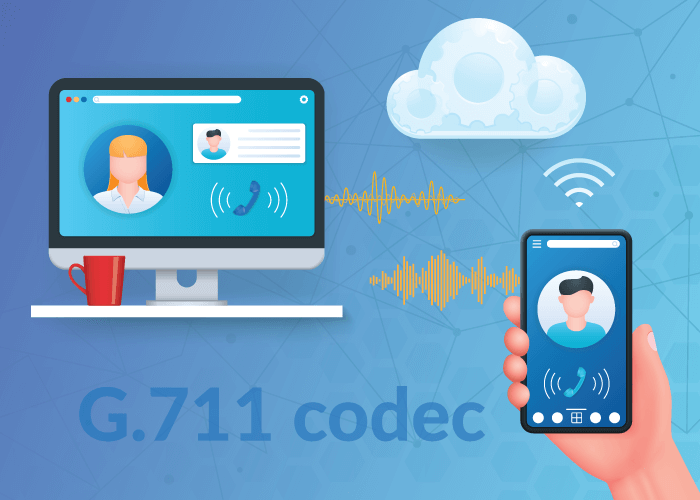
Now, which codecs are best for VoIP? The general consensus is that G.711 offers the best call quality. Although, most providers also accept G.729 (low bandwidth alternative) or G.722 (not offered by most). Here’s a chart for reference:
Codec
Bitrate
Bandwidth Usage
G.711
64 Kbps
87.2 Kbps
G.722
48-64 Kbps
80 Kbps
G.729
8 Kbps
31.2 Kbps
3. Quality of Service (QoS) Settings
You can also use QoS to optimize your VoIP system and fix voice quality issues by prioritizing network traffic that passes through the router. Through this process, you give more bandwidth value to VoIP calls over other kinds of traffic.
This means your calls don’t compete with web browsing or streaming. And, by extension, you reduce network congestion so that inbound and outbound calls are not affected.
To change your QoS settings, you’ll need to work with your ISP and VoIP provider to get exact instructions for your particular setup. However, implementing QoS changes does not take very long and you can expect it to work in your favor soon.
4. VoIP Phone Service Provider
This one goes without saying: Optimizing for VoIP in India is incomplete without the right VoIP phone service provider.
The above-mentioned tips will help you build a good foundation for VoIP. However, without a reliable provider, your call quality can experience issues leading to dropped calls, calls that don’t connect, and so on.
Plus, if you have an unresponsive provider – or one who is hard to reach – you’ll end up having to troubleshoot quality issues on your own. This can prove tricky if you do not have an in-house IT or telephony engineering team.
Lastly, since VoIP in India is a slightly tricky affair, you want to make sure you work with a provider who knows what they are doing. You want a VoIP provider that has been working in the country for a long time and understands the different regulations and restrictions well.
This will require some research, but as you shop around, look out for telecom companies that have been doing this for a few decades. Ask them how they comply with these regulations and provide reliable connectivity. This will also help you determine the company’s responsiveness and credibility.
Get VoIP for India
As you can see, optimizing for VoIP in India is a relatively easy task when you know what needs to be done. For more tips, check out our guide on how to achieve the best VoIP call quality for business.
And if you don’t know where to start, contact our telecom experts. We can help you find the right solution that is reliable and compliant. Call us today at 1 (877) 898 8646 or chat with us online!
Traditional phone systems are holding your business back from increased growth, efficiency, savings, flexibility, and more. This is why companies — from small businesses in the US to tour packages in Europe — switch to VoIP, as it offers everything from scalability to affordability. So, if you’re looking to cost-effectively upgrade your business communication, voice over IP is the solution for you.
In this article, we’ll cover why and how to switch to VoIP, and dive deeper into reasons to migrate.
High monthly bills, issues with call quality, and unacceptable downtime are all clear signs that it’s time to modernize your legacy system and switch to VoIP.
But, what are the less obvious indicators that an upgrade to your system is necessary? Here are some questions to consider:
Do you manage global or remote teams?
Can your current phone system support your failover, disaster recovery, or business continuity plans?
Are you planning to expand to new markets or regions? Or, do you already have customers in different countries?
Is it hard and time-consuming to make changes to your current system as needed? Specifically, with call routing and forwarding capabilities?
Do you need features like IVR, caller ID management, or call recording to provide a more efficient and enhanced service to customers?
Even if you answered yes to only one of these questions, you would benefit from a VoIP phone system. And in most cases, your business benefits in more than one way.
From connecting your distributed teams to offering increased functionality, a voice over IP solution can help you accomplish business goals while also improving business processes – all under one platform.
Landlines vs VoIP: The Difference in How They Work
But what if you have a landline phone system set up? And how are landlines different from VoIP?
Let’s start by defining the difference between traditional landline systems and voice over IP networks. This will not only help you better understand elements of the migration process, but also the above mentioned reasons to switch.
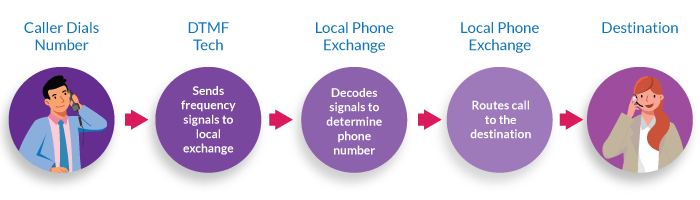
When you make a call using a landline, it travels via the Public Switch Telephone Network (PSTN). And this long-standing telephone network uses physical phone lines and switching centers to connect your calls.
Since VoIP is a cloud-based service, it operates differently than traditional systems that rely on landline connections and the PSTN. In fact, voice over IP transmits calls to your desired destination using an internet connection and packet-switching technology.
In other words, the main difference between VoIP and PSTN systems is – the first uses digital pathways to transmit calls, whereas the second uses physical phone lines.
Let’s take a closer look at other key differences between VoIP and PSTN:
VoIP
PSTN / Landline
Connectivity
Make calls via the internet, faster transmissions
Make calls via landlines / physical cables and switching centers
Quality
Higher call quality, with clearer sound; can fluctuate depending on your IP network
Average, consistent call quality
Flexibility & Mobility
Highly customizable; place calls from any location and device
Less customization; place calls from only one location
Features
Variety of advanced calling features
Limited features
Price
More affordable than PSTN (even with international calling)
Expensive (especially for international communication)
6 Reasons to Switch to VoIP
So, why should you make the switch to VoIP? Let’s take a look at 6 reasons to migrate:
1. Save BIG
Voice over IP is an affordable solution for both small businesses and enterprises, especially when compared to legacy systems. This is because it doesn’t rely on physical phone lines, meaning you stand to avoid high international and long-distance calling fees. And since you don’t need additional equipment or routine maintenance to use the service, VoIP also reduces your overhead costs.
2. Access to Advanced Communication Features
Unlike traditional phone networks, many VoIP services include access to additional features that are only available through the cloud. This not only increases the functionality of your system, but also helps you provide a more effective service.
3. Higher Call Quality
Since cloud telephony uses digital pathways instead of copper phone lines, calls travel faster while delivering a clearer, higher-quality sound.
4. Flexibility & Mobility
Typically, you can manage your communication stack through your VoIP provider’s online control panel. In other words, your phone system is accessible and manageable from any location or device.
5. Connect Global Teams
As you can access VoIP from anywhere in the world, it’s the perfect solution for businesses looking to connect international, distributed, offshore, or remote teams.
6. Increased Scalability
Voice over IP is a highly scalable solution. You can upgrade or downgrade your service as needed, all without changing your entire system.
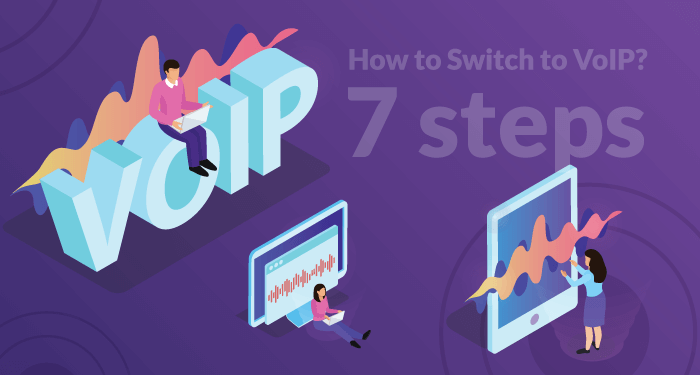
How to Switch to VoIP? 7 Steps
Now, let’s go through the migration process and discuss how to switch to VoIP. Here are the 7 steps we will cover:
Transitioning to cloud communications is typically a straightforward process, especially if you have an effective plan in place. And a well-thought-out plan always begins with defining your communication needs.
Here’s a checklist to help you identify them:
Establish an overall budget. How much are you willing to spend on equipment, features, add-ons, plans, and so on?
Figure out your pain points with your current phone system. What do you wish you could add or change about it?
Outline your business goals for the next 5 years. How can a new phone system help you achieve these benchmarks?
Determine your desired services and features. Which ones are essential, and which ones are just nice to have?
Decide on your deployment method. Do you plan on modernizing your existing infrastructure or replacing it completely?
Consider your average number of calls, number of users/lines, call traffic behavior, and so on. Do you expect these data points to stay consistent or fluctuate over time?
2. Test Your Internet Network
One of the most important VoIP network requirements is a stable internet connection with adequate bandwidth for your specific call traffic. Without a reliable IP-network, you could run into voice service issues. For this reason, many providers recommend a high-speed broadband connection.
To ensure your network can handle simultaneous calls and to achieve the best call quality, it’s vital to test your internet. You can do so by running a speed test. You can find these online, and they are usually free to use. These tests analyze your IP network’s latency, download speed, and upload speed.
After reviewing these data points, you’ll know how many calls your network can actually handle. Note: You need 100 kbps per line for most voice services. If your current internet connection can’t handle your business’ average call traffic, reach out to your ISP and upgrade your bandwidth before switching to VoIP.
Once you’ve figured out your bandwidth requirements, you must evaluate and prepare your current infrastructure.
Start by cataloging damaged equipment or outdated hardware that you wish to replace. This way, when it’s time to purchase new equipment, you know exactly what you need.
During this step, you should also consider the following:
• Wired connections vs Wi-Fi – Although VoIP works with wireless networks, it is often recommended that users use wired, Ethernet cables instead. This is because wired connections are more reliable and help prevent congested networks. We recommend using Cat 5e or Cat 6 Ethernet cables.
• Multiple routers vs switches – Using multiple, general-purpose routers to connect your devices to the internet can affect call quality, contribute to a congested network, and prompt other technical issues. That’s why many providers suggest using network switches instead, as they extend the functionality of your router. This means, you don’t need multiple routers on your network, so you experience less congestion, delay, and better call quality.
• VLAN – A VLAN configuration can help improve VoIP performance and avoid network traffic congestion, meaning a lower chance of voice quality issues. Consider setting one up, especially if you operate a medium-sized business or enterprise.
• SIP ALG – Considering disabling the SIP ALG feature on your router, as it may contribute to multiple VoIP problems such as one-way audio or dropped calls.
4. Sign Up with a Reliable Provider
Next, you’ll need to sign up with a reliable VoIP provider. This involves in-depth research and comparisons between brands to ensure you get the best cloud phone service for your needs and goals.
Review each provider’s:
Pricing plans and models, including annual, monthly, pay-as-you-go, per-minute, per-user, and per-line billing
Free trial or demo offerings
Setup, activation, or other hidden fees
Activation times
Available services, features, and add-ons
VoIP requirements
Compatibility with existing equipment and third-party applications
It will take some time to collect and compare this information. But, this is arguably the most important step when making the switch to VoIP. And that’s because your provider contributes to the quality, security, and reliability of your phone service.
Look for providers that will work with you to craft the best solution for your business and are quick to handle any issues that arise.
5. Select VoIP Equipment
The VoIP equipment you select will vary depending on your existing infrastructure and chosen deployment method.
If you plan on modernizing your legacy phones, you’ll need:
Ethernet cables to connect the gateways to your router or switch
If you want to replace your traditional desk phones with VoIP-compatible ones, you’ll need:
IP phones (There are many options on the market from IP conference phones to wireless IP devices; Pick the one that fits your budget and communication needs).
Ethernet cables for internet connection
If you prefer to use other equipment like computers, you’ll need:
Softphone feature
IP-enabled devices such as smartphones, tablets, laptops, computers, etc.
Other optional equipment includes:
VoIP headsets
Microphones
The great thing about VoIP is that you don’t need a ton of equipment. All you need to get started is a stable internet connection, IP-enabled device, and a VoIP service with the softphone feature. So, the equipment and hardware you select really depend on your communication needs and preferences.
Whenever you introduce new hardware, software, methods, and so on into the workplace, provide employee training and give your teams time to adjust.
Walk your staff through features and provide them with resource materials. Make sure to start training before you fully switch to VoIP, so employees are ready to go when you migrate. You might consider creating a process flow diagram that outlines all the steps involved in using the new VoIP system. This diagram can serve as a visual guide for your employees, helping them understand how to navigate the system and troubleshoot common issues effectively.
In most cases, VoIP services are simple and intuitive. This means a smooth onboarding experience for you and your teams.
7. Install and Configure VoIP
Now, it’s time to set up your VoIP system. This is another step that varies depending on your provider, existing hardware, and deployment method.
First, plug in and connect all your equipment, if you haven’t already done so. Then, log in to your provider’s control panel to add users and set up your desired features. If your provider offers a suite of features, prioritize configuring the ones you identified as essential.
If you still aren’t sure which features to set up, here are some suggestions to get you started:
Customized Greetings – establish a professional and welcoming brand voice.
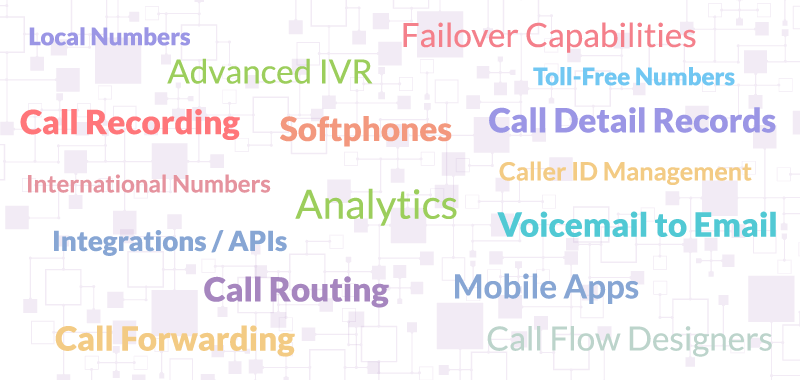
IVR & Call Flow Designer – help guide callers to their desired destination.
Call Routing – send calls to an alternate destination based on date, time, location, etc.
Failover Forwarding – maintain business continuity by sending unanswered calls to a backup location.
Call Recording – record calls for training, liability assurance, or liability purposes.
Voicemail Messages & Voicemail to Email – personalize voicemail prompt and conveniently forward messages to your email.
Once you’ve added users and configured your chosen communication features, your VoIP system is officially operational.
Ready to Make the Switch?
United World Telecom can help you make the switch to VoIP and take your business communications to the next level. To learn more about business VoIP or upgrade your current phone system, call or chat with our telecom experts today at +1 (561) 908-6171!
Phone calls continue to be customers’ preferred communication channel for support and service because it is the fastest and most effective. However, if your phone system is not set up properly, you can run into issues that inhibit your ability to provide uninterrupted, reliable customer service.
In this post, we’ll go over the different ways to optimize your VoIP network so you can get started today!
Improve VoIP Connectivity
Setting up your VoIP system means preparing your network and IT infrastructure to support your provider’s service. While the below tips are recommended to implement as you set up, you can also use them to troubleshoot VoIP issues. You can improve connectivity and optimize your VoIP network in the following ways:
When your VoIP network isn’t well-optimized, it can lead to reliability and quality issues. And as a business communicating with clients, these issues can interrupt business continuity and make your business appear less reliable and trustworthy.
And often, these issues originate from your internet and network setup. This is why it’s important to understand what network requirements your VoIP service needs.
Now, when it comes to improving and optimizing your VoIP network, you have multiple options. The key is to identify the problem and then find the best solution. In some cases, your VoIP provider can help. And in other cases, you’ll need to rectify the problem yourself.
So, really, you can start by contacting your provider or running tests on your own. Let’s go over how you can optimize your VoIP network and different factors to keep in mind:
A good way to optimize your VoIP network is to ensure you’ve done the above-mentioned best practices. These will create a healthy environment for your VoIP phone system.
We’ll talk about some of these in more detail below. Additionally, we put together a comprehensive guide to VoIP network requirements to help you get started.
2. Contact Your VoIP Provider
For a quick resolution — especially if you don’t have in-house network or voice engineers — it may help to first contact your provider. Since they know the network requirements needed to run VoIP properly, they can let you know how your current setup is failing.
They can also provide additional testing and monitoring services to identify the problem and offer solutions accordingly. They should already be monitoring your service, so it is easier for them to determine what is causing the issue.
If you want to exhaust all your self-service options before calling your provider, try the suggestions listed below.
3. Run VoIP Connectivity and Speed Tests
To remedy potential issues and optimize your VoIP network, you first need to know what’s wrong. The quickest way to determine a problem is by running speed and internet connectivity tests on your network. VoIP tests measure the speed, jitter, and latency of your internet connection. Similarly, you can even use a ping test to assess where exactly is the delay or issue occurring within your network or phone system.
Now, some VoIP providers offer their own tools that you can use. But others will direct you to different tools that they trust. Check with your provider about what they recommend or look online for internet, ping, and VoIP tests.
4. Identify VoIP Issues
After you run these tests, you’ll get scores for latency, jitter, packet loss, upload speed, and download speed. This will give you a clear idea of how your network is performing. If any of these scores are outside the acceptable range, you will experience issues with call quality.
Another way to identify VoIP issues is by manually monitoring call quality for jitter, delays, audio issues, etc. You can use MOS scores to get user opinions of a call’s quality – something like this:
MOS
Quality
Issue
5
Excellent
Perfect quality
4
Good
Less perfect; may include some loss of quality
3
Fair
Slightly strained quality
2
Poor
Strained quality
1
Bad
Heavily strained quality
Then, you can go back and investigate each call using call detail records, activity reports, and alerts. And you can make this process more effective using a call recording feature, as you can actually listen to the calls with low MOS scores to identify the issue.
Once you determine if the issue is latency, jitter, delays, audio problems, etc., you can fix it. Our VoIP troubleshooting guide (linked above) has different solutions you can implement to resolve these issues.
5. Increase Bandwidth
For voice services and VoIP calls, you need at least 85-100 kbps per call. This number increases when you have additional, concurrent calls. And all of this does not factor in other internet usage and traffic, such as streaming, checking emails, running chat, etc.
So, if your business does not have adequate bandwidth, your VoIP network won’t be optimized, and you’ll experience network congestion. As a rule of thumb, try using only 80% of your available bandwidth for all internet-related activities, VoIP calling included. And when you begin to exceed that limit, upgrade your bandwidth.
6. Invest in Quality Hardware
Another way to upgrade your VoIP network is by updating your hardware and equipment. Outdated, legacy equipment may have limited functionality and can degrade over time. Plus, newer software and technologies work better with newer hardware. Consider making the following upgrades if you don’t already have them:
Cabling — Use Cat 5e, Cat 6, or Cat 7 Ethernet cables.
Power — Use a Power over Ethernet (PoE) switch for efficient delivery of data and power to over one wired connection
Infrastructure — Switch to wired connections if currently using WiFi.
Routers — With features like
Dual and Tri-Band Frequency — Transmit traffic at 2-3 frequencies, so you can separate VoIP traffic from others.
MU-MIMO — Multi-user, multi-input, multi-output that enables each device to have its own data stream connected to the router.
WiFi 5 (802.11ac) or WiFi 6 — Higher the wireless, the better.
VoIP QoS — Prioritize voice traffic over other traffic.
IP devices — Deskphones, computers, and laptops built to support web calling.
7. Consider Creating a VLAN
Finally, consider adding a VLAN or virtual LAN on top of your existing internal local network. Then, you can put VoIP devices on the VLAN and all other traffic on the LAN. And you can configure the VLAN to give the highest broadcast priority to voice packet transmission by applying QoS settings via VLAN tagging.
VLAN tagging tells which packet belongs to the VLAN specifically and can help separate voice traffic from other traffic passing through your network. Your internal IT team can help you set this up within your infrastructure. However, you can also work with your ISP for professional help.
Optimizing VoIP for Business Communication
VoIP phone systems go a long way to ensure your business can communicate with customers reliably. And this is why many B2B enterprises choose to add IP telephony to their communication stack. But that includes setting it up properly and checking every now and then for potential issues.
We can set you up with a reliable, high-quality VoIP phone system. And our cloud communication experts can help you integrate VoIP into your business infrastructure smoothly. Want to learn more? Call us at +1 (561) 276-7156 or chat with us online!
Choosing the right provider is not the only factor needed to build a successful VoIP phone system for business communication. You also need to ensure that your IT infrastructure can support the service and your calling needs.
For instance, do you have enough bandwidth to run 50 calls at the same time? Or, are you paying attention to the different types of traffic flowing through your network and the prioritization of voice calls?
If you’re not doing these things, you will run into call quality and reliability issues, which render VoIP relatively weak.
In this guide, we’ll go over key VoIP network requirements and what you need to make your VoIP phone system work efficiently for your business.
A VoIP service can help your business save on communications costs; 90% on international calling and 75% on operational costs. And since teams can make and receive calls from any location, you can connect distributed teams and increase collaboration and productivity. But this only works if implemented well.
So, besides getting IP phones and a VoIP phone service, what else do you need to make and place web calls efficiently? Voice over IP – as the name suggests – is an internet-based calling technology. So, it depends largely on your internet network to be reliable and high quality. If your network is weak or lacks support, then your voice calls will suffer.
To properly understand the reasoning behind VoIP network requirements, we first need to understand how a VoIP network works. Let’s take a look.
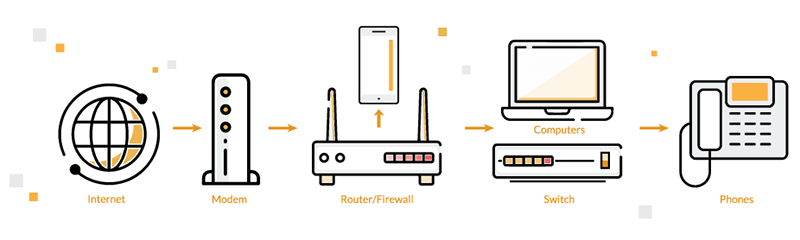
Your business’ internal network (LAN) connects your VoIP devices to your provider. This LAN is typically built on an ethernet infrastructure, especially in commercial and office environments. Your local VoIP network will function over this ethernet setup.
In rare cases where you don’t have an existing ethernet network, it is pretty easy to set one up. Your ISP can help you with this.
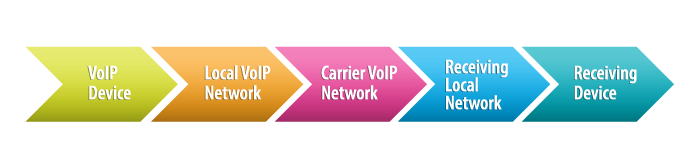
Now, when you make and receive voice calls through your VoIP phone number, voice signals are converted into data packets and transmitted across these networks. As the call leaves your internal VoIP network, it will continue to travel over your carrier’s network to its end destination. Upon arrival, the digital packets will reassemble into audio signals.
To ensure your VoIP service works efficiently, you must do two critical things:
Choosing a reliable and high-quality VoIP provider.
VoIP Network Requirements
So, what do you need for VoIP to function properly?
Adequate network bandwidth
Wired connections
QoS and data prioritization
Network monitoring and testing
Right equipment
Network security and encryption
Let’s look at each of these in detail!
1. Network Bandwidth
The most important network requirement for VoIP is a high-speed broadband connection.
While IP calling doesn’t need much, VoIP requires adequate bandwidth to handle your business’s specific call traffic. Specifically, you need enough bandwidth to support calls occurring simultaneously.
The general requirement and recommendation for good VoIP call quality is 100 kbps per line for voice services.
Furthermore, it is a good idea to use only up to 80% of the available bandwidth. This means you can use the other 20% for other applications such as email, CRM, streaming, etc. Going beyond that will lead to network congestion and call quality issues. And if you find usage nearing 80% often, it’s time to upgrade.
You can use the below table to calculate how much bandwidth you will need for only voice calls:
Number of Concurrent Calls
Bandwidth Recommended
1
100 Kbps
5
500 Kbps
10
1 Mbps
15
1.5 Mbps
20
20 Mbps
2. Wired vs Wireless (WiFi)
Next, when adding VoIP to your network infrastructure, connect IP devices to a wired Ethernet cable instead of WiFi. We recommend using a Cat 5e or Cat 6 Ethernet cable for best results. More specifically, use a Power over Ethernet or PoE switch for efficient delivery of data and power to VoIP devices over one wired connection.
While VoIP can function over wireless networks, it is less reliable. So, another way to prevent congested networks and low call quality is to avoid running VoIP over wireless connections. If your resources are limited to WiFi, then ensure your business uses a professional and secure WiFi connection with at least 802.11ac or Gigabit WiFi for better quality.
3. QoS and Data Prioritization
It is also a good idea to monitor and prioritize VoIP data compared to other network traffic. You know best when your business will experience high call traffic and bandwidth usage. But sometimes, it may be too late to adjust how traffic is prioritized over your network.
Setting up VoIP QoS – quality of service – beforehand balances out how much bandwidth is needed for different types of traffic. This way, you can assign more bandwidth space for VoIP traffic and less bandwidth for video downloading, streaming, etc.
QoS has helped many users avoid or troubleshoot common VoIP quality issues. And because of that, it is typically considered one of the important VoIP network requirements. In fact, it is often something your provider will suggest implementing.
Check if your router supports QoS. To set up QoS, contact your ISP and VoIP provider. Each provider and service will have its own guide on configuring QoS.
For the most part, you can do this by yourself without the help of an IT team. But if you have an in-house IT team, work with them to understand what is being done and monitor it in the future.
4. Network Monitoring and Testing
Another best practice to include in your VoIP implementation is monitoring your network. Now, most providers will monitor their telephony network to ensure their customers are not dealing with any voice calling issues.
But, on your end, you’ll want to regularly monitor and test your network to ensure everything is working properly. There are many speed tests available online that you can use to test your network speed. More importantly, do this when your users run into problems such as audio delays, connectivity issues, and so on.
5. VoIP Device Requirements
Now onto the devices you need to set up your VoIP phone system. This setup will look different for every business and depends on how your teams are distributed, what devices you prefer using, and how they communicate.
Computers or Laptops — to use in conjunction with webphones
Headsets with mic and noise-canceling technology
6. Network Security and Encryption
Providers will have their own VoIP security and encryption protocols. However, you will also need to protect your business’ network and data. Ensure devices and software are password-protected. Use hardware and software encryption on all applications and devices. Run regular security checks to test the system and look for vulnerabilities or quality issues.
Check out our VoIP security guide for a checklist of best security practices.
Working with Your VoIP Provider
The best way to ensure you set your VoIP phone system up for success is to work with your provider. First, choose a reliable and responsive provider. This is your main point of contact for VoIP-related questions and issues. Then, work closely with them to implement the right protocols and network requirements for VoIP.
Our tech support and telecom experts are ready to help you understand how to best set up VoIP for your business.
Want to learn more? Chat with us or call us at +1 (561) 276-7156. You can also check out our VoIP guides online!
Is your existing phone service effectively supporting your communication needs? If not, it may be time to change VoIP providers.
This article will discuss when switching to another service is necessary and how to do it. So, let’s jump in.
Why Change VoIP Providers?
It’s important to note that not all VoIP services are created equal. Some vendors offer users advanced features and better pricing, while others deliver 24/7 global customer support and greater reliability.
Since the market is saturated with many different VoIP products, finding the right one that fits all your needs may be challenging for some. So, what happens if you sign up with a provider that falls short? Or, what if your communication needs change and your existing service no longer supports your goals?
In these cases, you must change your VoIP provider to sustain business growth, optimize your phone system, and maintain effective communication. This way, you get out of a low-quality service and improve the functionality of your network.
Lack of global country coverage and call management features
Unreliable, unresponsive customer and technical support
Issues with network connectivity and reliability that lead to an increase in dropped calls
Long-term contracts or commitments with minimal value
Growing need for a flexible and scalable phone solution with high uptime
These are all major signs that your current vendor is holding your business back. Not only is the service hindering your business’s ability to grow, but it’s also preventing you from accessing the many benefits of VoIP. This means it is time to move to a new service that can offer you more while charging less.
How to Change VoIP Providers: 5 Simple Steps
You can switch VoIP providers in the following straightforward steps:
1. Evaluate Current Service
Start by analyzing your current service. What does it do well? What do you wish you could change or add? You can determine your pain points and priorities by evaluating your current service. Make sure to write down your service analysis, as it will come in handy for the provider research phase (more below).
2. Identify Your Communication Needs
Next, you must identify gaps in your system and what you need to improve caller experience. This will not only allow you to quickly narrow down your search but also ensure you get the best service based on your specific needs.
Here are some questions to help you determine your needs:
• Overall Budget – How much are you willing to spend on equipment, features, add-ons, monthly/annual plans, etc.?
• Desired Services & Features – What is the primary use of your current VoIP service? What services and features do you consider “must-have” vs “nice-to-have”? Which ones can you live without?
• Current Setup – What does your current setup look like? Does it meet the minimum VoIP requirements (adequate bandwidth, stable connection, etc.)? Do you have broken or damaged equipment? How do you plan on deploying your new service? Will it be hosted in the cloud or on-premise?
• Number Porting vs New Phone Number – Do you want to keep your existing business phone number by porting it to a new vendor? Or, are you planning on selecting a new one when you change VoIP providers? And if you want a new one, will it be a local, toll-free or international phone number?
• Commitment & Activation Times– Are you currently stuck in a long-term contract? If so, when does it end or do you plan to break it? How fast do you need a new service to activate?
• Call Traffic Logistics – How many lines or users do you need? What is your average number of calls? Do you see this number increasing? And how does your call traffic typically behave (does it fluctuate or is it consistent)?
In addition to the list above, it’s also essential to consider your business goals, particularly expansion plans. This way, you know that your new service can support your future growth.
3. Research and Select a VoIP Provider
To successfully change VoIP providers and improve your system in the process, research a variety of available services. And remember to compare their service offerings to the needs and pain points you identified in the first 2 steps of this process.
On top of that, pay attention to:
Pricing models and hidden/setup fees
Specific VoIP requirements and equipment compatibility
Service activation times
Available services, features, and add-ons
VoIP uptime guarantee, network reliability, and crisis management initiatives
Now, this step may take a while to see through, as it involves in-depth research. But, it is crucial because it helps you find a reliable solution that’s right for your business. And if you’re struggling to pick between a few services, book consultations to get an even better idea of how they can help your business.
4. Notify Your Current Provider
If you plan on getting an entirely new service and phone number, talk with your current vendor about your plans to change VoIP providers. This way, you know if they charge any termination fees and you can determine a service end date.
On the other hand, if you plan to port your current number to a new service, notifying your provider helps you avoid delays, understand next steps, and, again, allows you to set up a service end date.
Whatever route you take, it’s extremely important that you maintain your current phone service until the activation or porting process is complete. This ensures that you maintain contact with your customers and business continuity.
5. Installing your New Service
While porting your number may take an extended period of time, getting an entirely new service may be fully operational the same day you sign up.
In most cases, installing VoIP doesn’t require any additional equipment. But, the specific VoIP setup process depends on your provider, existing infrastructure, deployment method, and what equipment you want to use.
For instance: If you plan on using softphones for business communication, simply download your provider’s softphone to an IP-enabled device. Then, connect it to your service using your login information. However, using your existing hardware, such as IP and legacy phones, requires more setup. This is because they need to be physically connected to your router or a gateway.
Once you’ve configured your hardware and software, make sure to add your desired users and set up advanced features such as:
Call routing and forwarding destinations
IVR and call flows
Voicemail
Caller ID management
Call recording and so on.
Change VoIP Providers to Improve Efficiency
As you can see, moving to a new provider can make all the difference to the quality and efficiency of your business VoIP system.
United World Telecom offers enterprise-grade VoIP services and phone numbers for businesses worldwide. After 26 years of telecom experience, we’ve established long-term relationships with reliable Tier-1 carriers across the globe. This enables us to deliver high-quality voice services at affordable rates.
And we also provide number porting services if you want to keep your current business phone number. Simply fill out our number porting form to get started.
To learn more, speak with our representatives today over the phone or online! We’re here to help.
Network Address Translation (NAT) works by selecting gateways that sit between two local networks:
the internal private IP network of your office or home
and the outside network such as the internet.
Systems on the inside network are typically assigned IP addresses that cannot be routed to external networks.
“Externally valid Public IP addresses are assigned to a gateway (router or edge device such as a firewall). That gateway creates outbound traffic from an inside system and makes it appear to be coming from one of the valid external IP addresses. Conversely, it takes incoming traffic aimed at an external IP address and sends it to the correct internal system.
This provides accessibility and routing to and from internal network devices and applications. NAT also helps provide security because each outgoing or incoming request must go through a translation process. This process offers the opportunity to qualify or authenticate incoming streams and match them to the outgoing request.” — Anthony Percivalle, Senior Engineer, United World Telecom.
It’s a useful tool. However, using NAT can sometimes prove problematic for VoIP, especially for a VoIP network that relies on UDP.
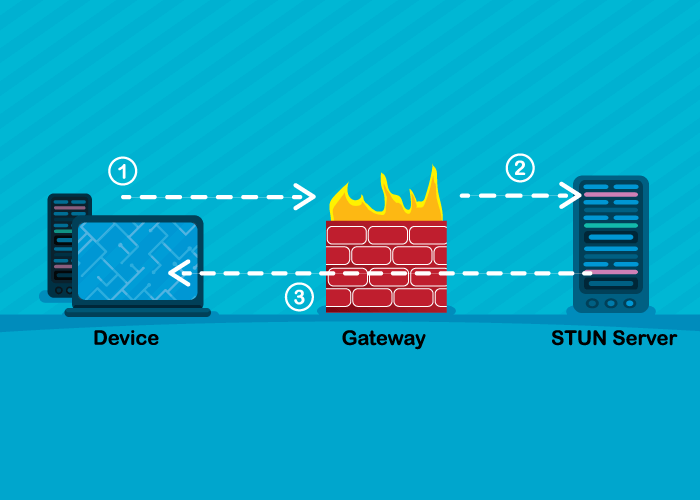
And that is where a STUN server comes in. VoIP networks use STUN to communicate between two endpoints located behind NAT gateways. But what is it, and how does it do this? Let’s find out!
What is a STUN Server?
A Session Traversal Utilities for NAT or STUN server is a server-client protocol that allows privately addressed clients within a local network to traverse NAT and set up voice calls to a VoIP provider outside of that local network.
The original full form of STUN is Simple Traversal of User Datagram Protocol (UDP) through Network Address Translators (NAT).
A STUN server can be used in several network implementations by protocols such as SIP and WebRTC. This server enables NAT clients (devices running behind a NAT) to identify:
its public address or public IP,
the type of NAT it is connected to (static or dynamic), and
the port translation done by the NAT (the port other devices outside the network can connect to).
By doing this, it enables high-quality and reliable VoIP calls across private and public networks.
How Does a STUN Request Work?
The STUN server is commonly implemented as a client-server protocol with request (query) and response components and a connection to the third-party server located on an accessible network, typically the internet. These STUN messages travel through UDP packets.
Here’s a quick glimpse into how a STUN request and response works:
Step 1: A device sends an initial request – binding STUN request – to discover its ports and IP. It sends this through the gateway to a STUN server located outside the local network, typically the internet. These servers usually listen on port 5060 or 3478.
Step 2: The STUN server then sends a success response back to the device with the public IP address and port number of the client.
Result: When this device makes a SIP-based VoIP call with the external entity (in this case, the VoIP provider), the provider can send responses back to the public IP and new port, enabling easy communication of data and information between the two endpoints.
This way, a STUN server helps two devices running behind a NAT gateway to establish a UDP connection.
Some businesses will have access to their own STUN server. Similarly, most VoIP applications have their own default servers, so you can check with your providers and vendors which one to use. However, you can also access an online public STUN list and pick one that works best for your needs. Instead of using a default server, you can enter your own custom server from such a list.
You can always reach out to your provider to determine the best for you.
When to Use STUN Servers for VoIP?
Currently, most applications don’t require a STUN server to work efficiently. But, it can come in handy for troubleshooting VoIP call issues.
Alain Rodriguez, our Customer Service and Tech Support Manager, explains that “if your devices are sitting behind NAT, your VoIP provider may suggest using a STUN server to remedy any VoIP issues you may experience with connection, jitter, or latency.”
Troubleshooting VoIP Quality Issues
Using a STUN protocol is just one solution to fixing VoIP problems. However, you can take other remedial measures depending on the issue itself.
When you sign up for a hosted VoIP provider, you’ll rely on your monthly invoices to understand usage and calling charges. But these invoices can look confusing if you don’t understand how your provider bills their service.
To help you understand your VoIP bills, we’ve put together this article on VoIP billing increments.
How are VoIP Calls Billed?
Your VoIP calls are billed based on your provider. Each provider has a different pricing model and different types of costs.
Generally speaking, you can expect two costs:
Monthly VoIP line fee and
Costs for usage (charged in increments)
While the monthly fee is usually obvious when signing up, the cost for usage (billing increments) is more challenging to determine. So, it’s a good idea to ask your new provider how exactly they bill for phone calls occurring over a month.
What are Billing Increments?
Billing increments refer to the unit of time used to charge a particular service, specifically to indicate the minimum and incremental measures of time.
VoIP billing increments refer to the unit used to indicate how a VoIP service is charged and what the customer is billed for.
Most VoIP phone calls incur fees based on a minimum and increment charge set by your carrier. Let’s define these terms:
Billing minimum — the minimum amount of time your provider will charge for each call. Billing increment — the amount of time your provider will charge you after achieving the minimum time.
Here’s an example of VoIP billing increments with a 12/6 rate:
In this case, your billing minimum is 12 seconds and your billing increment is 6 seconds.
So, after the first 12 seconds, your provider will charge you again after every 6 seconds.
Again, every carrier does this differently, so it’s important to understand how your desired provider will charge you.
Different VoIP Billing Increments and Pricing Models
Each VoIP carrier offers a different pricing model. And some even offer multiple models, so you can choose what works best for your particular situation.
Here are some of the billing increments currently present on the market:
6/6 billing increment — minimum billing 6 seconds and subsequent billing 6 seconds — talk for 8 seconds, pay for 12 seconds
12/6 billing increment — minimum billing 12 seconds and subsequent billing 6 seconds — talk for 14 seconds, pay for 18 seconds
30/6 billing increment — minimum billing 30 seconds and subsequent billing 6 seconds — talk for 34 seconds, pay for 36 seconds
60/60 billing increment — minimum billing 60 seconds and subsequent billing 60 seconds — talk for 62 seconds, pay for 120 seconds
Affordable VoIP Phone Services
United World Telecom offers competitive and cost-effective cloud communication solutions. Learn about how to install VoIP and how we can help your business grow and expand internationally. Call us at 1 (877) 898 8646 or chat with us online!
In this post, we explain what dual-tone multi-frequency, or DTMF, is and how it is central to voice calling. This is a telecommunications technology that works under or inside your phone system. So, it is not an extra feature but should come with your phone service.
What is Dual-Tone Multi-Frequency?
Dual-tone multi-frequency (DTMF) produces touch tone sounds heard when pressing a number on a phone’s keypad.
When you press a number key, DTMF sends the following:
signal to your phone company indicating that you want to make a call and
command to the switch.
And it does this by sending two tones – a high- and low-frequency tone – for every number key pressed.
You can learn more about the history and evolution of DTMF here.
How Does DTMF Work?
The dual-tone multi-frequency technology assigns 8 different audio frequencies to the rows and columns of a keypad. The columns have high-frequency signals, and the rows have low-frequency signals. Here’s what that looks something like this:
When a user presses a key (number or symbol), a tone generates by combining the high and low frequency of the number. For example, when you press the number ‘7,’ frequencies 852 Hz and 1209 Hz are combined.
The DTMF technology then sends this combined signal over phone wires to the local phone exchange. Once there, the exchange decodes the signals to determine the entire number the user wants to call. Once identified, the call automatically routes to the desired number and destination.
What is DTMF Used for? Common Use Cases
Besides ensuring that your dialed numbers actually place calls, DTMF technology has revolutionized the way users interact with an outgoing call. For this reason, this technology has many benefits for businesses and contact centers with high call volumes. Let’s look at some use cases:
Navigational Tool
The most common use case for dual-tone multi-frequency technology is its influence on interactive voice response systems (IVR). IVR is an automated call handling system that answers incoming calls, interacts with callers, and directs them to their destination.
DTMF tones are the dominant signaling protocol for interacting with an IVR. An IVR typically provides users with menu options such as Press 1 for Sales, Press 2 for Billing, etc. With DTMF technology, callers simply press a number key to be routed to the desired department.
Information Entering Tool
Another way to use DTMF tones is to let callers input (or dial in) numbers to verify their identity.
For example, they could input their account number, the last 4 digits of their card, their order number, and so on. Then, the auto-attendant or agent can use this information to help them faster.
In some cases, the IVR can collect information before the agent joins the call. In other instances, the auto-attendant may just provide the caller with the necessary response. Such as the familiar: You have a pending balance of $XX; would you like to pay now?
Self-Service Options
Finally, you can also use dual-tone multi-frequency technology to let calls complete certain actions, like:
United World Telecom provides DTMF with our Advanced IVR feature for both IVR menu and input options.
As you build out your phone system within our IVR editor, you can assign departments and agents to different numbers. Callers can then press those numbers on the keypad or enter specific extensions and codes to reach their desired department.
However you want to design your business’ call flow, our voice solutions are here to help! Call us at 1 (877) 898 8646or chat with us online!
Why Should Your Business Set Up a VoIP Phone System?
Voice over Internet Protocol (VoIP) allows your business to make and receive phone calls using an internet connection and packet switching technology. This tech replaces the physical lines of a traditional phone system with digital pathways – making VoIP more efficient than PSTN and landlines.
• Reduced Overhead Costs – Save on international and long-distance calling fees as well as the cost of routine maintenance and equipment upgrades.
• Ability to Scale – Make changes to your system (such as adding or removing users) as you see fit without applying major changes to your network.
• Increased Mobility and Flexibility – Enjoy access from any location or IP-enabled device. This means you can place and receive business calls from smartphones, tablets, computers, and more. And, you can use Voice over IP to connect your widespread and remote teams.
• Access to Advanced Features – Use advanced communication features like call recording, IVR, and routing. These allow you to customize and build a better phone system that increases caller experience.
• Improved Reliability – Access failover functionalities and ensure your system’s reliability – even during power outages or severe weather conditions. Failover options typically come with a VoIP service.
• Manage Communication in One Place – Manage and access your core communication channels like voice, video, text, and more through one centralized platform. You no longer need multiple services to manage your business’ communications.
Getting Started with VoIP
Whether setting up VoIP within a small business or enterprise, you’ll need a few components to get started. It’s worth noting that your setup may look different depending on your existing infrastructure. But to properly power this technology at its most basic level, you’ll need:
A strong internet connection and adequate bandwidth (equipment needed: a modem, router, Ethernet cables to connect everything, and an Internet Service Provider (ISP))
IP-enabled devices such as desktops, tablets, smartphones, and IP phones
Or media gateways to connect legacy phone systems
A reliable VoIP provider (more on this later).
Preparing to Set Up VoIP
Before configuring VoIP, you must define your communication needs, assess your existing system, and do your research. While these steps are not mandatory, it helps streamline your transition. Let’s break these steps down further.
It’s important to start preparing for your VoIP installation by determining your needs. This information should guide you through the decision-making and transition process – ensuring you stay on track to the best solution. And it will make the selection process more efficient since you’ll know exactly what to look for.
So, how do you define your business communication needs? Start by asking yourself:
What are you planning to use VoIP for exactly? Inbound calling? Outbound calling? Or both?
What is the budget? How much are you willing to spend on equipment, a provider, features, and other add-ons?
What features are “must-haves” for your business and teams? And which ones could you live without, but would be nice to have?
Do you have an existing communication infrastructure? If so, are you planning on completely replacing it? Or do you want to modernize your legacy phones by upgrading them with VoIP? And based on these answers, how do you plan on deploying VoIP? (more on this later)
Are you looking to port your existing business phone number, or will you choose a new one? And if you select a new number, will it be a local, toll-free or international phone number?
How many lines or users do you plan on having?
What is your current average number of calls, or how many calls do you expect to receive? And how does call traffic typically behave (does it spike, or is it consistent)?
Defining the full scope of your communication needs helps you find the best service and setup for your business.
Audit Hardware and Satisfy VoIP Requirements
Auditing your hardware means assessing your equipment and IT infrastructure to evaluate its life cycle and current ability to perform its job. These audits help businesses identify outdated or broken equipment, prevent double-purchasing, and determine what equipment still has value. Once you have a good idea of your infrastructure, you can select a VoIP deployment model (see below) and decide if additional hardware purchases are necessary.
During your audit, it’s also worth evaluating your IT infrastructure to ensure it can support the solution you envision. In other words, make sure your system meets the minimum requirements for installing VoIP. This way, you get the best possible call quality and VoIP performance.
Ensure your infrastructure has:
• Adequate Bandwidth for VoIP – Check that you have an adequate amount of bandwidth available to power your devices and services. Your minimum bandwidth speed for one call or SIP channel should generally be 100 kbps.
• Low Latency – VoIP relies on the internet to transmit calls. So, you need a strong and reliable internet connection. Opt for wired Ethernet connections over Wi-Fi, as it increases internet speed, lowers network latency, and offers a more stable connection. And, perform a VoIP speed test to evaluate your network speed and stability.
• Data Prioritization Options – A congested network leads to problems with VoIP errors. Because of this, make sure your router has data prioritization capabilities like Quality of Service (QoS). This capability will allow you to prioritize and optimize your network traffic – ensuring that VoIP calls receive enough bandwidth.
Satisfying these network requirements will set you up for success with most VoIP services, but double-check your selected provider’s specific requirements.
Explore VoIP Deployment Options
Part of the preparation process is research and information gathering. So, let’s review the different options for VoIP deployment. This way, you understand what is available to your business.
• On-premise Solutions
With this deployment model, you install VoIP infrastructure at your business’ physical location. Companies must purchase hardware like servers, switches, and IP phones. And, you’re responsible for routine maintenance, monitoring, and upgrades. As such, you’ll experience higher overhead costs with this setup.
Best For: Large businesses or enterprises, businesses with high communication needs and a large amount of phone lines, companies with infrastructure already in place
• Hosted Solutions
A hosted VoIP solution means your provider installs VoIP equipment and manages the system for you at their locations. So, you receive cloud phone services without the hassle of routine maintenance, system upgrades, or network routing.
Luke Genoyer, Business Development Manager at United World Telecom, says,“It’s much easier to set up VoIP when you’re going through a hosted provider. This is especially true when compared to installing a PRI or POTS system or even wiring together an on-premise PBX.”
Not only does your business save on costs associated with purchasing and maintaining equipment, but you also avoid the hassle of installing complex hardware. And, your business gains greater mobility and flexibility as hosted VoIP solutions are accessible from anywhere.
Best For: Remote and distributed teams, businesses of all sizes, companies looking for affordable communication solutions
• Hybrid Solutions
The hybrid deployment model allows businesses to plug VoIP solutions into their legacy phones via a gateway. So, the VoIP service is hosted while the equipment is on-premise.
Best For: Businesses looking to migrate to VoIP while keeping and upgrading their legacy phones.
How to Set Up a VoIP Phone System
After completing the necessary preparations, it’s time to install your VoIP network. Let’s break it down into 4 steps:
Choosing a reliable VoIP provider
Setting up hardware and software
Configuring your phone system
Testing your network
1. Research and Choose a VoIP Provider
It’s crucial to analyze multiple VoIP providers and services before selecting one. This research guarantees that you get the best solution for your business. Compare your communication needs with each provider’s offering.
Specifically, look at:
• Pricing & Hidden Fees – Review each provider’s pricing options and compare them with your budget. Be aware of per-user, per-month pricing models, as these tend to be more expensive than a flat monthly price. And double-check if they have any setup or hidden fees.
• VoIP Requirements – Ask about the provider’s specific VoIP requirements. Can your system support their solution as is? Or will you have to modify your current infrastructure to run the service?
• Activation Times – Consider how long it will take to get your service setup and if it meets your timeframe requirements.
• Available Features – Compare the provider’s range of available features with your list of must-have and nice-to-have features.
• Uptime & Network Reliability – Assess each provider’s network reliability. Start by looking at their uptime guarantee and crisis management initiatives. And take into account how many Points of Presence (PoPs) they have to fall back on in case of service disruptions.
Customer Support – Pay attention to their customer support offerings. Does the provider offer support in your time zone, region, and desired language? And does your account come with a dedicated account manager?
While this step requires quite a bit of research, it’s worth it in the long run as you’ll end up with a trusted provider and solutions that fit your specific needs. Take your time with this step. With the right provider, you can successfully install VoIP and maintain your system with minimal roadblocks.
2. Set Up VoIP Hardware and Software
Once you’ve activated your service, you’re ready to set up your equipment and install the VoIP system. The specific setup of your system depends on your provider, existing infrastructure, how you plan on deploying VoIP, and what equipment you want to use.
If you plan on using softphones to make and receive business calls, the setup process is quick and easy. Simply download your provider’s softphone to your desired IP-enabled device. Then, connect it to your phone service using your login information.
You can also purchase hard phones, also known as IP phones, that connect directly to your VoIP server. While these phones look like regular deskphones, they have Ethernet ports instead of phone jacks. To set this hardware up, connect the IP phone to your router via an Ethernet cable. Then, assign the device to the appropriate user or extension.
For those planning on upgrading legacy phones with VoIP, you’ll need to purchase a gateway. This bridges the gap between the PSTN and digital networks. Start by connecting your legacy phone to the gateway using the phone jack, also known as a register jack-11 (RJ11). Then, connect the gateway to the internet using an Ethernet cable.
For additional equipment like headsets and microphones, simply plug these directly into your computer, phone, or device. Or connect them via Bluetooth if they are wireless.
3. Configure Business Phone System
After setting up your equipment, start adding your users and configure your desired communication features. Which features you choose and how you go about configuring them depends on your business communication needs. But if you defined them earlier, you’ll know exactly which feature you need to configure.
Consider the following:
Create call flows and set up an IVR to handle incoming calls and guide callers through your system – ensuring they end up at the appropriate destination.
Implement different routing strategies for after-hours calls, holidays, 24/7 global support options, or to match the caller with their preferred time zone and language.
Incorporate failover strategies such as failover forwarding to guarantee all calls get answered, even if the first location doesn’t pick up. This is also great for disaster recovery, as it redirects calls to an available destination.
Equip call recording on all or a fraction of your calls for training, quality assurance, or liability purposes.
Establish ring groups to effectively manage call volumes and reduce wait times for callers.
4. Test Your New VoIP Network
At this point, you’ve fully installed VoIP, and it’s almost ready to use. But before you start making and receiving business calls, test your system and lines for issues.
And make sure any features you’ve configured operate how you want them to.
Gregory Porras, Senior VoIP Engineer at United World Telecom, explains that VoIP issues can occur for any number of reasons, which is why it’s important to test your system before going live. He suggests testing your system from your internal, external, Wi-Fi, and VPN networks. Greg adds that call quality should be a top priority – so he recommends double-checking your router’s firewall, QoS, and SIP ALG settings. And, open ports on your router to your provider’s recommended settings.
While setting up VoIP may seem daunting and complex to some, it is possible to do on your own. Simply follow the steps above and start using your new VoIP phone system.
And with the right provider, you’ll be able to tackle any issues you run into along the way. United World Telecom offers dedicated account managers and 24/7 global support to all users. While some providers charge a “professional services” fee to help with implementation and training for employees, we include it for free with any of our business plans.
Speak with our telecom experts to understand how we can help you set up a VoIP phone system for your business. Call us at 1 (877) 898 8646!
Are you looking for a phone system that offers affordability, flexibility, modern capabilities, and so on. Or perhaps you’re planning on modernizing your current communication setup.
Either way, the solution is simple – hosted VoIP.
In this article, we’ll define hosted VoIP, how it works, its benefits, key business features, and use cases.
Understanding Hosted VoIP and How it Works
Before delving into hosted VoIP, you must first understand VoIP on its own. Voice over internet protocol (VoIP) digitally transmits voice calls over an IP network. This allows you to make and receive business calls through the internet.
To accomplish this, it uses packet switching technology, which converts your voice data into digital packets. These packets are then sent to the receiver via the internet. And once they arrive at the destination, the packets reassemble into voice. This process occurs in a matter of seconds and allows callers to communicate seamlessly.
Now, this brings us to hosted VoIP. There are two general ways to deploy VoIP: hosted or on-premise.
With hosted VoIP, a third-party provider “hosts” and manages the infrastructure on their premises. They then supply cloud communication services to your business through a network connection.
This deployment model allows you to access hosted VoIP services from any IP-enabled device or location. Additionally, this setup is far more affordable than on-premise solutions. This is because you don’t have to worry about routine maintenance, monitoring, and upgrades.
With an on-premise model, your business owns and manages all VoIP infrastructure. In other words, the equipment typically resides on-site. While this option offers full control, it is expensive to set up and maintain as it requires plenty of free space, energy, monitoring, and upkeep.
How Can Your Business Benefit from VoIP?
Many companies choose VoIP as their business phone solution because of its many advantages and capabilities. Here’s how your business can benefit from hosted VoIP services:
• Substantial cost-savings – Save on additional equipment and routine maintenance while avoiding costly international and long-distance calling fees.
• Increased flexibility and mobility – Accessible from any location or device, providing more mobility than traditional deskphones.
• Highly scalable – Upgrade or downgrade your service when needed without changing your entire system.
• Enhanced call quality – Experience clearer sound and better call quality, since VoIP calls travel faster than over traditional phone lines.
• Easy configuration – Integrate it within your existing system, as no additional equipment is required.
• Improved functionality – Enhance your business phone system’s functionality with features only accessible through the cloud.
Hosted VoIP Key Features
As mentioned above, many VoIP providers offer users a number of advanced cloud features with their services. This way, you can effectively manage and improve your business’ communication. Let’s take a look at the top hosted VoIP features:
Phone numbers (local, international toll-free, etc.)
Call recording
Caller ID management
Advanced IVR
Call flow designers
Call routing and forwarding
Failover capabilities
Softphones or mobile apps
Voicemail to email
Call detail records and analytics
Integrations / APIs
4 VoIP Use Cases
With a clear picture of hosted VoIP and its capabilities, let’s discuss how companies can use this technology to grow their business.
1. Expand Globally
IP telephony is not tied to a specific location. So, you can use it to expand globally, enter new markets, and access a broader customer base. The best part? You can do this without opening a physical location or increasing overhead costs. Simply set up cloud phone numbers in your desired countries or markets. Then, forward incoming calls to your business headquarters.
2. Improve Network Reliability
With access to hosted VoIP’s failover strategies, you can build your network’s redundancy by minimizing downtime and preparing for potential outages. So if your system experiences an interruption, calls are automatically rerouted to an alternate, predetermined location.
3. Offer 24/7 Global Support
Cloud communication services are typically fully customizable to your business’ unique needs. This includes predetermining routing rules and features like time-based or location-based routing. You can use them to offer customers 24/7 global support, increasing customer satisfaction and accessibility.
4. Connect Distributed Teams
You can manage hosted VoIP services in one centralized location and from any location or device. This means teams can communicate via smartphones, computers, tablets, and desk phones. These capabilities make it the perfect solution for connecting local and distributed teams.
Get Started with Hosted VoIP
As you can see, hosted VoIP helps keep costs down, improve business communications, enhance call quality, and much more. All you need to get started:
United World Telecom provides enterprise-grade VoIP phone services for businesses around the world. After 26 years of telecom experience, we’ve established long-term relationships with reliable Tier-1 carriers across the globe. This enables us to deliver users with high-quality voice services.
Reach out to learn more about our reliable service and if we are the right VoIP provider for you. Speak with our dedicated telecom experts at +1 (561) 276-7156 or chat with us online today!
This opens up the space for more advanced communication technology such as VoIP, UCaaS, CCaaS, CPaaS, and more. So, how do you decide what solution is best for your business?
This article will look specifically at VoIP versus UCaaS, so you can better decide what phone system will improve your team’s productivity.
Building a Business Phone System: VoIP versus UCaaS
As a network professional, you’ve certainly heard about VoIP before. Voice over internet protocol and IP telephony solutions replace traditional PSTN by using the internet to route calls.
On the other hand, unified communications as a service (also known as UCaaS or UC) groups together various communications technologies into one centralized platform.
You’ll notice in the comparison below that both VoIP and UCaaS have very similar benefits. However, the main difference lies in how they are built and how you can use them.
One way to understand the difference between these services is that VoIP makes UCaaS solutions possible.
VoIP, for example, refers to one specific communication technology, whereas UC is an umbrella term for many different types of communication technologies. Therefore, it is not an easy, 1-1 comparison.
VoIP is typically a voice service that handles inbound and outbound calls. UCaaS, in comparison, brings all communication channels (voice, video, messaging, chats, etc.) into one platform and enables them using IP.
Because of this key difference, VoIP is less encompassing than Unified Communications.
Let’s look at these solutions more closely.
What is VoIP and How Does it Work?
VoIP was designed to provide a landline’s functionality along with cloud-based service’s flexibility and capability. This enables phone calls through an internet connection, removing location-related restrictions.
And since VoIP is software-based, you can easily integrate it with other similar cloud communication software and build a wholesome phone system.
What can you do with VoIP?
Place and receive calls online
Forward calls from a desk phone to a mobile phone
Access call recordings and logs
Utilize voicemail to email forwarding
Access advanced calling features such as IVR, caller ID management, and more
UCaaS solutions go a step further than VoIP by bringing more than voice to your phone system. As mentioned above, it gives you access to multiple communication channels and apps under one cloud-based roof.
This way, your teams can communicate with each other and customers through the channels they prefer.
And by streamlining communication through one platform, your teams can be more productive as everything they need is located in one place.
What can you do with UCaaS?
Integrate email, SMS, video conferencing, chat apps, etc., into your phone system
As you can see, there are benefits to both VoIP and UCaaS solutions.
However, which solution you need depends on your requirements and resources.
For instance, enterprise-level businesses might find more use in a UC solution that supports their teams and provides more communication and collaboration options. However, if you’re an SMB that needs only voice support across local and remote teams, then a VoIP solution will meet your needs.
One important thing to note is that both solutions will allow you to centralize and scale your solutions as needed. VoIP lets you consolidate different local, regional, and global voice carriers under one carrier (i.e. your VoIP provider). And UCaaS lets you consolidate different communication channels and apps under one service provider.
In fact, you can even add a VoIP service to your UC stack for voice support. By consolidating, you reduce your overall total cost of ownership (TCO) across different channels or providers.
So, whether you start with VoIP or UCaaS, you can grow your communication stack at your own pace via integrations and APIs. The real question is — what do you need right now, and what can support your plans for the future?
Learn how to scale with VoIP by speaking with one of our telecom experts today! Call us at +1 (561) 276-7156 or chat with us online!
In this post, we’ll go over the ANI telephony feature and how businesses use this feature to provide better support and sales.
What Does ANI Mean in Telephony?
In telecommunications, ANI refers to Automatic Number Identification. This phone feature, offered by many cloud telephony and VoIP providers, works in conjunction with call data and is used primarily for billing purposes. Let’s find out how:
What is Automatic Number Identification?
Automatic Number Identification allows the recipient of an incoming call to determine and display the number of the phone that originated the call. In other words, it displays the number of the person dialing or placing the call.
Before ANI, telephone operators manually requested the phone number of the person calling, especially for a toll call. But now, telecom providers can use this service to help users (your business) understand and analyze their call data, volume, and traffic.
Are ANI and Caller ID Services the Same?
This feature is often understood in relation to caller ID services; however, they’re not the same since they utilize different underlying technology.
Automatic Number Identification is the Billing Telephone Number (BTN) used by carriers and assigned by the telco switch. Caller ID, on the other hand, is the display number provided by the caller’s equipment (VoIP or PBX setup) or originating carrier (outbound calling service).
Users can change the outgoing caller ID when making outbound calls. However, one cannot change or block the ANI number.
How is ANI Used in Businesses and Call Centers?
1. Use call detail records for billing purposes:
Automatic Number Identification is especially useful in cases where incoming calls (toll and toll-free) are charged based on the caller’s (your customer’s) number and location. For example, toll-free costs for incoming calls vary depending on where your customer is calling from or where the call originated from.
By identifying where your calls come from, you can better understand your VoIP phone bill. This includes:
local, regional, and international call charges
how much you pay as a customer
and, sometimes, what your VoIP provider owes its own carriers.
ANI systems and reports keep track of your call data. And in some advanced reports, you can even see specific charges for each call. Based on this information, you can then make adjustments to your phone service accordingly.
2. Use call data to improve customer experience:
Such call data can also give you key insights into where your calls come from and, by extension, where your customers are located. Once you’ve analyzed this call data, you can decide how to serve them best.
For instance, say you have a lot of international clientele. With advanced call routing, businesses and call centers can route calls based on a variety of preset rules. So, you can forward calls from specific regions to a call center or support team closer to the destination — all based on the caller ID and area code of the caller.
Or, if you have enough after-hours call traffic, you can outsource those calls to a remote agent or your personal phone. Such time-of-day routing lets you offer 24/7 support.
How United World Telecom Can Help
United World Telecom uses ANI in our system for billing purposes. This enables our customers to see the caller ID of their callers. And our call detail records and billing reports can help you understand call traffic and identify new growth opportunities. Additionally, they also have access to features like location-based routing so they can serve customers wherever they are located.
To learn more, call us today at 1 (877) 898 8646 or chat with us online!
When setting up a new VoIP phone system, you must equip the right voice codec to ensure reliable and clear call quality. The type of codec you need depends on your provider and phone system.
In this article, we’ll go over the G.711 codec and why it is the preferred codec for VoIP calling.
VoIP Codecs and Why They are Important
VoIP codecs are designed to convert analog voice signals to digital packets (compression) and then reassembled back into audio (decompression) when they arrive at their destination.
In doing so, they establish and maintain VoIP call quality and determine bandwidth use for incoming and outgoing calls. So, to ensure your teams can communicate effectively through your VoIP phone system, you will need to use the right codec — one supported by your provider.
You can adjust these voice codecs depending on what you need, such as better quality, evenly distributed bandwidth, etc.
What is G.711?
G.711 is a commonly used VoIP codec that converts voice signals to digital packets with an output of 64kbit/s.
This codec uses packet loss concealment (PLC) to minimize the effect and impact of packets dropped during transmission. It was established in 1972 as the default pulse code modulation or PCM standard for IP PBX and PSTN networks.
There are two main algorithms for the G.711: The μ-law codec used in North America and Japan and the A-law codec used in the rest of the world. Additionally, G.711 μ-law offers more resolution to higher range signals. And the G.711 A-law offers more quantization at lower signal levels.
Why Choose the G.711 Codec for VoIP?
While there are a few different codecs for VoIP, the G.711 is the most preferred and most commonly offered by VoIP providers. And there’s a good reason for that. Here are a few reasons why the G.711 is one of the best codecs for VoIP calling:
Two variants for worldwide usage (μ-law and A-law)
The other popular voice codec is the G.729 codec, which uses less bandwidth since it compresses packets. But this also means it sacrifices quality due to compression.
Why Do You Need to Care About Bandwidth for VoIP?
Since VoIP calls travel over the internet, they require a certain amount of bandwidth to efficiently transmit voice data packets back and forth. This means your VoIP calls will compete with other internet traffic. And if you don’t have enough bandwidth or wisely distribute traffic across your network, your call quality will be affected.
So, how much bandwidth do you need? This depends on how many calls you expect to run concurrently and what else your teams use the internet for.
Consider these numbers:
Number of Concurrent Calls
Bandwidth Recommended
1
100 Kbps
5
500 Kbps
10
1 Mbps
15
1.5 Mbps
20
20 Mbps
Typically, the bandwidth needed for each concurrent VoIP call resides anywhere from 85-100Kbps. And the G.711 codec consumes 87.2kbps of bandwidth.
Codec
Bitrate
Bandwidth Usage
G.711
64 Kbps
87.2 Kbps
G.722
48-64 Kbps
80 Kbps
G.723.1
5.3 Kbps
20.8 Kbps
G.726
32 Kbps
55.2 Kbps
G.728
16 Kbps
32 Kbps
G.729
8 Kbps
31.2 Kbps
So, if you have an internet connection of 500kbps, you can theoretically run at least 5 calls simultaneously.
VoIP Codec Supported by United World Telecom
United World Telecom supports the G.711 codec (both μ-law and A-law), and our call quality has an average MOS of 4.3. We can help you set up a VoIP phone system that works best for your communication needs, guaranteeing high call quality and network reliability.
To learn more, call us today at 1 (877) 898 8646 or chat with us online!
Tons of businesses are switching to VoIP for its numerous benefits — from affordability to flexibility. But many new users wonder if VoIP is dependable for business calls, especially since internet-based calling earned a bad reputation in the past.
In this article, we will answer commonly asked questions about voice over IP solutions, including — is VoIP reliable?
Reliability of VoIP
Voice over IP (VoIP) is an internet protocol that converts audio into digital packets and then transmits these packets to the destination. By doing so, VoIP enables users to make and receive calls using the internet.
But many users worry that this is not a dependable solution. This fear stems from a time when these internet-based tools weren’t developed enough, resulting in quality issues.
So, is VoIP reliable? Yes, VoIP can be very reliable, despite concerns surrounding cloud-based calling.
In fact, with how cloud calling has evolved over the years, VoIP phone systems are often preferred over traditional POTS because they offer crystal-clear call quality and high uptime.
But, to enjoy this, you need to take the proper steps to minimize downtime and keep your system running efficiently. This often involves both the provider and the user. Let’s look at the client-side and provider-side factors.
Client-Side Factors
So, what can you do as a user to ensure your VoIP phone system runs smoothly? Here are some key factors to consider:
Bandwidth requirements:
VoIP requires adequate bandwidth to ensure calls travel uninterrupted. This means you need a stable, high-speed internet connection with enough bandwidth dedicated to voice calls. When deciding how much bandwidth you’ll need, consider the following:
Similarly, you want to make sure your router is optimized as well. This means investing in a high-quality internet connection, whether WiFi or wired connections. It also means adjusting your router’s settings to prioritize VoIP calling (and voice packets) over other traffic (such as streaming and browsing). You can use quality of service or VoIP QoS to adjust traffic priority.
Backup power and internet sources:
As part of your disaster recovery plan, you will also need backup services in place to get your system up and running during outages or other disasters. Plan to have a backup mobile connection and power sources.
Equipment:
Finally, you must make sure you have the right equipment to make and receive VoIP calls effectively. This covers everything from routers to softphones and headsets.
In most cases, your VoIP provider can make recommendations. But it is a good idea to invest in high-quality, echo-canceling headsets for your agents and use softphones offered by your provider to make calls from your devices. On top of that, ask your provider about the router and internet settings needed to support your VoIP calling needs.
Provider-Side Factors
You also want to ensure your provider is prepared to offer you quality service with a trustworthy support team.
So, what makes a VoIP provider reliable?
99.999% uptime:
Your provider should supply you with more information that determines the quality of the service your provider will deliver. This must-have information will outline the expected uptime, call quality, troubleshooting assistance, and other essential information pertaining to your service.
Global and local servers:
Most VoIP providers servicing enterprise-level organizations usually have their own VoIP infrastructure with points of presence (PoPs) spread across the world. This ensures calls are distributed reliably, even if one route fails. But some providers work with a vast network of local and regional operators to bring you the same level of service reliability. When choosing a VoIP provider, ask how they route their local and global calls and if any areas are not covered within their network.
Dedicated account management:
Another key factor that determines your VoIP service quality is having a dedicated account manager who understands your business communication needs well and works to ensure you get the best out of your service. Choose a provider who offers an account manager for no extra charge. This way, you know your service is in good hands.
24/7 technical support:
Similarly, you also want a provider with a responsive tech support team in case of emergency situations. Look for a provider with multiple support options such as live chat, 24/7 phone support, email, support tickets, troubleshooting guides, etc.
Regular monitoring:
Additionally, your provider should constantly monitor their networks and servers. This is the best way to ensure calls travel accurately and quality remains high. Most providers use a quality monitoring service or software to keep tabs on their voice network. Ask your provider how they monitor quality and how they can guarantee uninterrupted service.
Is VoIP More Reliable than POTS?
Most VoIP newcomers wonder how exactly VoIP is more reliable than POTS. But VoIP is statistically a better choice than PSTN for small to medium-sized businesses.
To better understand why businesses prefer VoIP over landline systems, you must look at their differences.
VoIP is more cost-effective than PSTN. In fact, cloud telephony providers can offer better quality and more features at a lower cost than traditional landlines.
You have access to advanced voice calling features with VoIP. PSTN is relatively limited.
VoIP use has steadily increased while landline use has steadily decreased over the past two decades – especially in the US.
Internet-based calling allows users to use any IP-enabled device to place calls, adding geographic mobility.
With redundancy and failover capabilities, you can ensure your VoIP system is up and running, even during a power or internet outage.
VoIP infrastructure continues to evolve while PSTN is being phased out.
And finally, VoIP offers more flexibility, growth, and scalability than a PSTN setup.
So, the question remains, do you want to base your communication system on a technology that may not be as functional or reliable 10 years from now?
Source: Bullseye Telecom
When is VoIP the Better Choice?
VoIP can help you increase productivity, reduce costs, communicate effectively, and run your business from anywhere. But how do you decide if your organization can benefit from this switch?
According to our Sales Manager, Luke Genoyer, here is when VoIP is the right choice for a business:
Young companies who want to set up a reliable and easy-to-manage phone system can benefit from month-to-month services with no obligation as well as a fast, inexpensive, and easy setup.
For businesses that need to scale or plan to grow — in size or global reach — in the next few years, VoIP makes it easy to add and remove users and numbers easily.
Businesses that need access to call center data to analyze their call traffic and build a more responsive support team to improve customer experience.
Use international calling to establish a local presence around the world with various local and international phone numbers.
How to Choose a Reliable VoIP Service Provider
While there are many VoIP and cloud telephony providers on the market, you want to find one that meets your communication needs and budget. Finding this provider will take some effort and research on your part. Here’s a quick checklist of things to consider when looking for a new VoIP service:
Determine communication needs and budget.
Evaluate features and pricing.
Review inventory and global coverage.
Check uptime and carrier reliability.
Read reviews and customer testimonials.
Try for free, if available.
Get VoIP with United World Telecom
United World Telecom has offered VoIP services to businesses for over 25 years. Our experience in the telecom industry has resulted in strong relationships with Tier-1 carriers around the world. This means we can provide businesses of all sizes with high-quality and reliable VoIP phone services.
Want to learn more about our cloud telephony services? Reach out to our telecom experts and chat with us today!
Whether you’re a VoIP user or not, you’ve probably experienced one-way audio during a phone call. While VoIP offers businesses many benefits and modern capabilities, it’s normal to experience audio issues periodically. So, in this article, we’ll go over how to troubleshoot one-way audio. This way, you can solve this issue as quickly as it appears.
What is One-Way Audio?
One-way audio happens when the receiver can’t hear you, but you can hear them (or vice versa). It’s a common VoIP issue that impacts your ability to communicate during a call. And one-way audio often leads to a constant exchange of “Hello?” and “Can you hear me now?” – which is frustrating for both parties on the line.
Why Does It Occur?
It’s possible for one-way audio to occur during the beginning or middle of an existing call. Disruptions to the audio stream cause this issue and appear for a number of reasons.
The most common causes include:
Equipment issues
Firewalls / NAT blocking voice data
Incompatible codecs
Routing misconfiguration
We will look at each of these one-way audio causes and explain how to troubleshoot them.
Although one-way audio is a typical issue among VoIP calls, it is usually easy to diagnose and fix. Let’s look at how to troubleshoot one-way audio.
1. Check Your Equipment
Faulty equipment leads to many VoIP call quality issues, including one-way audio. So, the best way to start troubleshooting one-way audio is to rule out your equipment as the cause.
Equipment Issue Solution
Verify that all your equipment (headset, microphone, and desk phones) is properly connected by checking all cables and selected inputs on your devices. Then, inspect your hardware for any visible damage.
Once you’ve assessed your equipment’s physical condition, test your line. For all setups (softphones, IP phones, and legacy phones), simply initiate a test call and see if you can hear audio on both ends. If you’re using a softphone, you can also use any audio recording software to ensure your inputs are correctly configured.
2. Review Your Router’s Settings
Voice over IP uses packet switching technology to deliver calls through the internet. So, in order for these calls to succeed, voice data must travel from one point to another. This means these data packets must pass through your network’s firewalls – which can block audio packets from transmitting to their destination.
To troubleshoot this type of one-way audio issue, make sure the firewall ports are open to your provider’s recommended settings. For United World Telecom users, open ports 10,000 to 60,000. Additionally, whitelist your provider’s IP address in your firewall’s settings.
If that doesn’t work, the problem may lie with NAT. First, evaluate your network. Do you have more than one router supplying NAT? If so, you may be double NATing your traffic – leading to data arriving at the wrong destination. The best way to fix this is to turn off the extra instances of NAT.
After that, if you’re still experiencing one-way audio, try equipping SIP ALG. This network component allows your call data to pass through your firewall’s security checks and NAT rules. However, it’s critical to note that if SIP ALG is implemented incorrectly, it will lead to other problems, which is why most providers recommend leaving it off.
Depending on your setup, you may need to work with your provider to understand the best method of dealing with NAT or SIP ALG-related issues.
3. Ensure Devices Share Common Codecs
When you place a VoIP call, the two endpoints communicate and select a VoIP codec available to both devices. But if this process is unsuccessful, callers may experience one-way audio – as voice packets cannot be appropriately exchanged.
Incompatible Codec Solution
Make sure both endpoints support a common codec and that your line is set to the proper codec. Contact your provider with questions about correct codec names. For our users, use codec G.711 for all lines and SIP trunks. The United World Telecom network supports the G.711 codec, which provides the best VoIP call quality and uses no compression.
4. Reconfigure Routes
Network routing technology directs your call data from its source to its final destination. While your audio may successfully arrive at the endpoint, this doesn’t guarantee that you’ll always receive voice data in return. For example, If the call path from point A to B has a low-latency connection, but the data from point B to A takes a different path with high latency – you may experience one-way audio. These are both indications that routing misconfiguration may be present.
Routing Misconfiguration Solution
Many telecom professionals suggest troubleshooting this one-way audio issue using a “bottom-up” approach. This approach requires you to assess your IT infrastructure from the physical layer to software components to pinpoint where the misconfiguration is.
If you’re operating on a hosted VoIP service, this issue may lie on your provider’s side. So, work with your VoIP provider to diagnose the misconfiguration and fix the problem.
Solve Call Quality Issues with a Reliable Provider
With the right provider, you can avoid call quality issues altogether. And if they do come up, it’s vital that you solve them quickly. Look for a VoIP provider that understands your business communication needs and offers reliable services.
United World Telecom delivers high-quality hosted communications. We offer 24/7 support and a dedicated account manager for every user. This dedication helps avoid VoIP problems before they begin.
For more troubleshooting help or to learn more about our services, call us at 1 (877) 898 8646 or chat with us online!
Cookie Settings
We use cookies to enhance your experience and analyze data for continuous website improvement.

 Network & Reliablity
 Country Coverage
 Testimonials
 Customer Stories
 Local 2-Way Voice
 Toll Free Numbers
 Local Phone Numbers
 Toll Free FlexDial
 BYOC
BYOC Outbound Calling
 SIP Trunking
 Call Forwarding
 AI Call Insights
 Call Transcription
 IVR Auto-Attendant
 Analytics & Reporting
 Call Recording
 Time-of-Day Routing
 Voicemail
 Salesforce
 HubSpot
 Zoho
Zoho  MS Teams
  Genesys PureCloud
 3CX
3CX Zendesk
  Intercom
 Gorgias
 Onboarding
 Knowledge Base
 Blog
Blog