
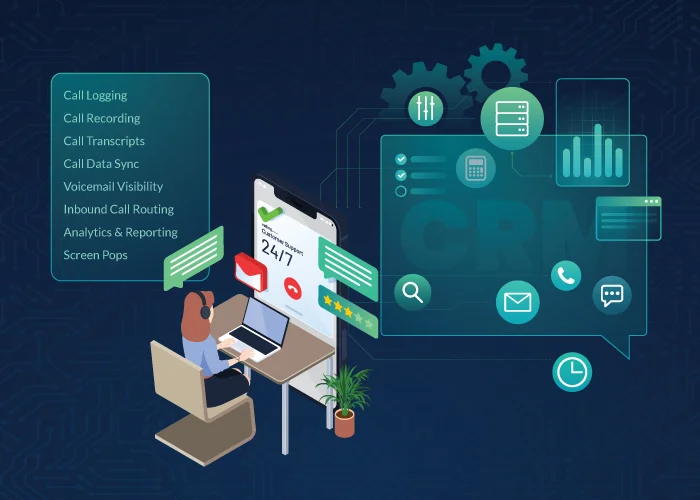
Many businesses adopt a CRM and a VoIP phone system separately, only to find they still struggle with disconnected communication workflows and scattered call activity. The real value arises when your CRM VoIP integration brings calling and customer data together within a unified interface, allowing sales and support teams to make calls, log activity, and access customer context without switching tools.
At United World Telecom, we help teams connect CRM workflows to global voice operations every day. Our platform supports CRM softphone integrations with major platforms, including Salesforce, Zoho, HubSpot, and more. These integrations enable teams to manage calls, automatically log calls, and view call history without leaving their workflow.
In this article, we’ll outline:
- What a CRM VoIP integration is
- Difference between native softphone vs. CRM VoIP connectors
- VoIP CRM integration features
- Prioritizing features based on your use case (sales, support, operations)
We’ll also highlight the criteria we hold ourselves to when supporting CRM softphone integrations, especially for businesses calling and supporting customers across regions.
What is a CRM VoIP Integration?
A CRM VoIP integration connects your VoIP phone service with your CRM, so your team can make and receive calls, view caller context, and capture call activity directly within your CRM.
In other words, you integrate telephony within a CRM to support capabilities like click-to-dial, call pops, data syncing, and related call workflows inside the CRM. Instead of switching between a phone app and your CRM, the integration links call activity to the right contact and keeps key communication details in sync.
Why it matters: it removes busywork (manual logging, copy-pasting notes, missed follow-ups) and improves outcomes (faster outreach, better response quality, cleaner reporting). Instead of your CRM being just a database, it becomes the system where conversations happen and where call history is immediately useful.
A well-built integration typically supports:
- Click-to-call
- An embedded dialer or connected app
- Caller lookup and screen pops
- Automatic call logging and call notes
- Access to recordings, voicemails, and transcripts (provider dependent)
- Centralized outbound caller ID and inbound routing rules applied behind the scenes.
At United World Telecom, we provide these integrations through our softphone app, which connects with major platforms like Salesforce, HubSpot, and Zoho. This ensures that your global virtual phone numbers and your customer database work as a single, high-performance engine.
Difference Between Native Softphone vs. CRM VoIP Connector
When looking for a CRM VoIP integration, you will find a variety of models and setups to choose from. A common point of confusion is whether a business needs a native softphone or a broader CRM VoIP integration.
So, what is the difference between a native softphone integration and a VoIP CRM integration?
1. Native CRM Softphone:
A native softphone is embedded directly inside the CRM interface. Users can access, dial, answer, hold, and transfer calls without leaving the CRM.
This is common in platforms like Zoho, Zendesk, and Salesforce (which we offer at United World Telecom).
2. CRM VoIP Connector (connects CRM to a softphone app):
With a connector, calling runs through a desktop or browser softphone, but the CRM syncs call data automatically. So you still get logging, recordings, and context on the right record. The only difference is that calls connect through an external app instead of inside the CRM.
This model is common for CRMs and help desks that don’t support a fully embedded dialer experience. You can get VoIP connector integrations for platforms like HubSpot, Gorgias, Pipedrive, and more.
By offering both types of CRM VoIP integrations, we ensure that whether you need an all-in-one screen experience or a flexible app-based connector, your global telephony remains synced with your customer data.
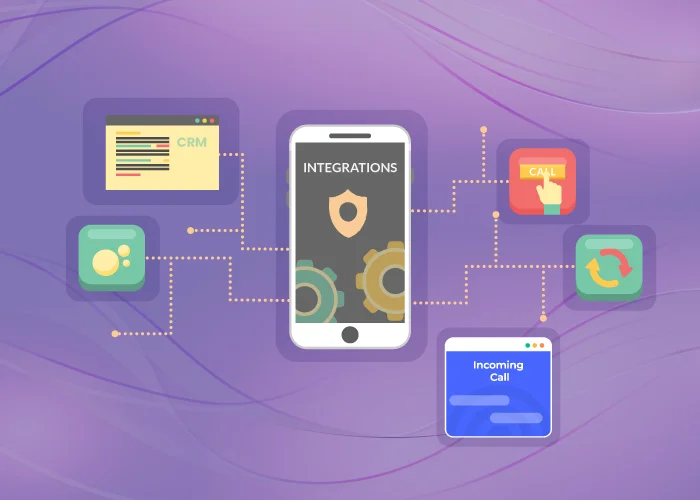
Which VoIP CRM Integration Features Do I Need?
- Embedded Softphone Dialer or Connector
- Click-to-Call
- Automatic Call Data Sync
- Call Logging
- Call Recording & Storage
- Call Transcripts
- Voicemail Visibility
- Outbound Calling & Local Caller ID
- Inbound Call Routing
- Analytics & Reporting
- Screen Pops & Caller Context
A strong CRM VoIP integration should do three things consistently: speed up calling workflows, capture clean call history automatically, and apply your voice settings (caller ID and routing) without extra effort from agents.
Below are the features to prioritize and what they look like in a practical CRM setup:
1. Embedded Softphone Dialer or Connector
An embedded dialer or softphone connector is the calling interface your users interact with. It determines where and how calls are made: either directly inside the CRM (native softphone) or via a connected desktop or browser-based softphone that syncs with the CRM.
This is the foundation of your CRM VoIP experience. The right dialer setup ensures agents can make and receive calls efficiently while keeping voice and CRM data aligned. It also affects flexibility: some teams prefer everything inside the CRM, while others need a standalone softphone that works across multiple tools.
What to look for:
- Support for embedded (in-CRM) dialing or a reliable softphone connector, depending on your CRM
- Inbound and outbound calling support
- Ability to handle calls without breaking CRM workflows
- Centralized control of voice settings
With United World Telecom:
United World Telecom supports both models, depending on the CRM and use case. Teams can use CRM-embedded dialers where available or connect via our softphone that syncs call activity automatically. Inbound call management, outbound caller ID, routing, and global voice settings are managed centrally in the control panel.
2. Click-to-Call (Click-to-Dial)
Click-to-call enables users to place outbound calls directly from the CRM by clicking a phone number. Instead of dialing manually, the call is initiated through an embedded softphone or CRM VoIP connector that’s already linked to the user’s voice service.
Click-to-call removes friction from outbound workflows. It reduces dialing errors, increases call volume per rep, and ensures calls are placed using the correct voice configuration and outbound caller ID every time.
What to look for:
- One-click dialing from CRM records and lists
- Automatic association of the call with the correct CRM record
- Consistent behavior across users and teams
- No manual number copying or switching between tools
With United World Telecom:
When click-to-call is enabled, users can dial directly from the CRM interface. The call is launched through the connected softphone or embedded dialer, while outbound settings are automatically applied based on configurations set in the control panel or softphone app.
3. Automatic Call Data Sync
When a call is made through the softphone or CRM VoIP connector, the call should automatically sync call details such as direction, date, time, duration, and call status, between both platforms.
This way, teams and managers always see accurate call records inside the CRM, reducing data gaps, duplicate entries, and reporting inconsistencies.
What to look for:
- Two-way sync reliability between VoIP and CRM platforms
- Clear mapping rules for records (lead vs contact vs ticket)
- Visibility in both the CRM and the telephony admin layer
With United World Telecom:
Call activity remains visible in the United World Telecom control panel for management and reporting while syncing into the CRM record for day-to-day workflows.
4. Call Logging
Call logging records key call details and attaches them to the matching CRM record (like lead, contact, case, or ticket). This gives sales and support teams a complete view of customer interactions, at times with the ability to add call notes.
What to look for:
- Call details logged
- Notes or tags fields
- Searchable call history
With United World Telecom:
Call logs can be captured against the appropriate record type based on the CRM’s integration approach, keeping customer timelines complete.
5. Call Recording & Storage
A hosted call recording service lets you automatically record and capture phone conversations. These recordings are stored securely in the cloud, and you can play them back or download them directly from a control panel.
Recordings are only useful if managers and agents can access them quickly and securely. They can be used as a reliable record for quality assurance, compliance, documentation, and training.
What to look for:
- Easy access to recordings (via control panel, email, or CRM)
- Short-term and long-term storage and retention options
- Role-based permissions
- CRM integration support
With United World Telecom:
Call recordings are stored in the control panel and can also be accessed via our softphone apps and, where supported by an integration, alongside the relevant CRM records. Additionally, our recordings can be used to generate transcripts, summaries, and additional AI-driven analytics.
6. Call Transcripts
A call transcription feature converts recorded calls in readable, searchable text. You can access this in a control panel or in your VoIP dashboard. Additionally, when a CRM is integrated with telephony, these transcripts are logged directly inside the CRM alongside the relevant contact, lead, or ticket, without manual uploads or note-taking.
By integrating transcripts into the CRM, teams gain full visibility into call history, improve follow-ups, reduce errors from manual logging, and use AI insights like keyword search and sentiment analysis to improve CX and make data-driven decisions. Plus, this feature reduces the need to take notes, improving communication timelines and follow-ups, especially for complex sales cycles or escalated support.
What to look for:
- Accuracy and language coverage
- Easy access to new transcripts post-call (via control panel, email, or CRM)
- CRM placement
With United World Telecom:
When AI Call Insights is enabled, transcripts and related insights can be used to support more consistent coaching, follow-ups, and auditing. You can find transcripts in our control panel or softphone, have them sent to your email, or view them via a CRM integration (CRM visibility varies by platform).
7. Voicemail Visibility
When an inbound call goes unanswered, based on your routing or business-hours rules, your phone system routes to voicemail. If a CRM integration is enabled, that voicemail is synced and displayed inside the CRM or softphone dialer where the related contact, lead, or ticket is stored.
For instance, a customer calls your sales number after business hours and leaves a voicemail asking for pricing details. The next morning, a sales rep opens the CRM or their email and immediately sees the voicemail attached to the lead’s record, complete with the call time and playback option.
What to look for:
- Easy access to voicemail messages and recordings with timestamps
- Voicemail-to-email or CRM acces
- Automatic association to leads and contacts
With United World Telecom:
Voicemail can be captured and stored centrally. Voicemail recordings and text-based transcripts are available in the control panel, via email, and when integrated, accessible from within the team’s CRM platform.
8. Outbound Calling & Local Caller ID
An outbound calling service allows your team to place calls through a cloud-based phone system and display a recognizable local number to your prospects as the outgoing caller ID, regardless of your physical location. This is especially important for international outreach.
For example, your sales team in Florida can use outbound calling and local caller IDs when reaching out to customers across different South American countries. Customers will see a familiar +45 Argentina number or +593 Ecuador number, helping improve answer rates and trust.
What to look for:
- Access to local caller ID in 90+ countries
- Per phone line caller ID control
- Consistent display across regions (where supported)
- Central admin controls (not rep-by-rep guesswork)
- Easy access to caller ID management settings
With United World Telecom:
Outbound caller ID is configured in the control panel or softphone apps and then applied automatically to calls placed from the CRM-connected workflow.
9. Inbound Call Routing
Advanced call routing ensures that every international call reaches the right department or agent without manual intervention. You can set up IVR call flows, time-based routing, or geographic routing in your account. For example, calls from UK customers can be automatically routed to your London-based support team during their business hours, then failover to your backup US team afterward.
Routing features optimize global traffic and ensure a professional caller experience, no matter where your callers or teams are located.
What to look for:
- IVR and business-hours routing
- Failover paths (backup routing)
- Regional logic for global teams
- Easy-to-use dashboard for IVR and routing management
- IVR schedules
With United World Telecom:
Routing rules are configured at the United World Telecom network layer so calls arrive to your team in a consistent, predictable way, regardless of where the agents sit or what platforms they use to answer their calls.
10. Analytics & Reporting
A robust integration provides a dual-layered view of your communication performance. Data is captured within the voice control panel for technical oversight and reflected within your CRM for sales and support management.
Inside the control panel, you can access high-level call detail records (CDRs) and Custom Reports. You get visibility into call volume, answer rates, peak times, outcomes, and performance across your international virtual numbers, without switching between ten reports.
This provides a 360-degree view of your operations. Managers can use reports to optimize staffing and use CRM analytics to measure the direct ROI of their global sales campaigns.
What to look for:
- Admin-level reporting and team-level visibility
- Exportable logs (CDRs) and customizable reports
- Alignment between CRM activity metrics and telephony metrics
With United World Telecom:
Managers and teams can view call analytics in the control panel, while CRM activity reporting reflects call engagement and outcomes based on how the integration logs interactions.
11. Screen Pops & Caller Context
When the phone rings, the CRM surfaces the matching customer record (and often recent activity) in the form of a screen pop. Availability for this depends on the CRM platform. Agents answer calls with context, leading to faster resolution, less repetition, more professional calls.
What to look for:
- Reliable caller matching
- Support for multiple numbers per contact
- Clear behavior when no match is found (new lead, unknown caller)
With United World Telecom:
Inbound call handling can be paired with CRM workflows so agents see caller details at the moment of engagement (capability varies by CRM).
Prioritizing Features for Your Use Case
Not every business uses their phone system in the same way. Features that a sales-heavy organization values may differ from those prioritized by a global support hub. By matching specific VoIP CRM features to your departmental goals, you can maximize your return on investment and simplify daily operations.
Let’s look at how sales, support, and operations teams can leverage these CRM VoIP integration features:
Global Sales
For a global sales team, speed and local presence are the primary drivers of success. Without a proper CRM VoIP integration, these reps face two major hurdles: low pick-up rates from international numbers and the time-consuming task of manual dialing.
A distributed sales team running outreach into the UK and Australia typically prioritizes: click-to-call, local caller ID, call logging, and transcripts or recordings for follow-ups.
An example: Reps call from the CRM with an assigned local caller ID, calls log automatically, and managers review recordings to improve talk tracks.
Support and CX
In customer support and experience (CX), the priority is context and resolution speed. When a customer calls with an urgent issue, they don’t want to repeat their history to multiple agents.
Support teams prioritize: screen pops, reliable inbound routing, voicemail visibility, and recordings for escalations.
An example: Calls route by region and business hours, agents see the right customer record before answering, and follow-up agents can replay the last call without requesting a recap.
Operations and Management
For operations leaders, the goal is oversight, efficiency, and scalability. You need to know if your global communication strategy is working without jumping between ten different platforms.
Ops leaders prioritize: analytics, reporting consistency, automated syncing, and governance (who can access recordings/transcripts).
An example: Managers compare call volume and answer rates across regions, refine routing rules, and ensure activity is logged consistently for performance reviews.
How United World Telecom Supports CRM VoIP Integrations
United World Telecom provides enterprise-grade CRM VoIP integrations designed to unify your global communications into a single, high-performance workflow. We specialize in bridging the gap between international telephony and your essential business tools by offering native softphone integrations for Salesforce, Zoho, and Zendesk, alongside seamless softphone connectors for platforms like HubSpot, Pipedrive, and more.
Beyond providing the software, we prioritize expert implementation and 24/7 responsive support via live chat, phone, and email to assist with turnkey configuration and troubleshooting. Our team remains available from initial setup through the optimization of advanced call routing to ensure your business maintains a 99.999% uptime experience.
Want to see how CRM VoIP integration works in your environment? Connect with our experts today to learn how we can help you build a more connected and efficient global communication stack.